What Is Crawlability (In Plain English)?
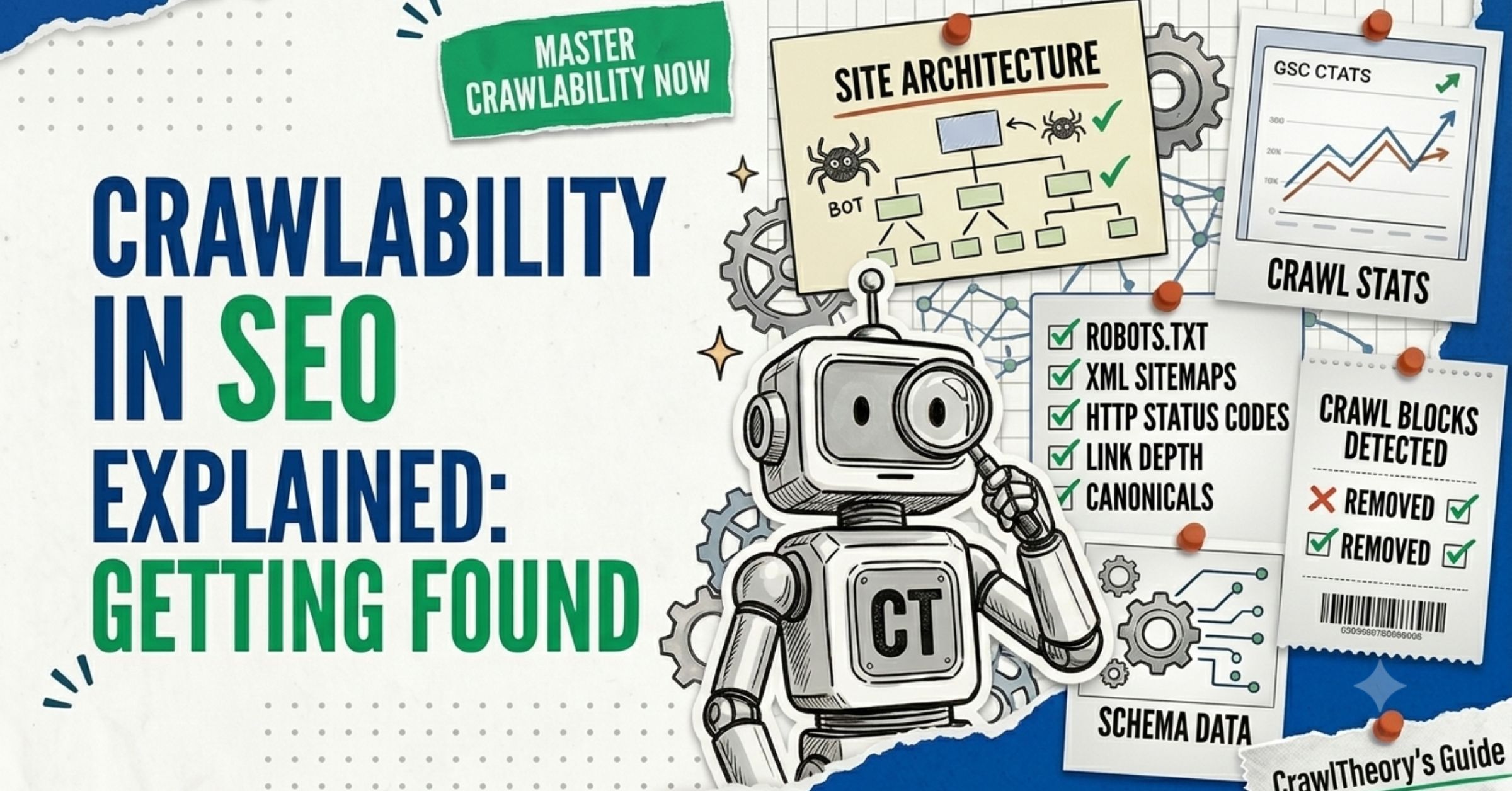
Crawlability is how easily search engines and AI bots can discover and fetch the pages on your website. Crawlers are automated programs — Googlebot, Bing’s bot, GPTBot, ClaudeBot — that travel the web by following links and reading sitemaps, fetching each page’s code so it can be processed later. Crawlability is whether bots like Googlebot, GPTBot, and ClaudeBot can discover and fetch your URLs — and it is the prerequisite for indexing and ranking.
Think of a crawler as a visitor who can only move through your site by clicking links. If a door is locked (blocked in robots.txt), hidden (no links point to it), or jammed (the server errors out), the visitor never sees that room.
AI crawlers are now a serious slice of web traffic. In one month of late 2024, requests from GPTBot and Claude combined equalled roughly 20% of Googlebot’s requests over the same period. Crawlability isn’t just a Google problem anymore — it decides your AI visibility too.
Crawling vs. indexing: what’s the difference?
This trips up almost every beginner, so let’s nail it:
- Crawlable = a bot can fetch the URL.
- Indexable = Google is allowed to and chooses to add it to its searchable database.
noindex blocks indexing without blocking crawling — and a URL blocked in robots.txt can still appear in search results (without a snippet) if it’s linked externally. We cover the indexing side fully in indexability (Chapter 3). For now, just remember: crawl is the door, index is the filing cabinet.
Crawlability is whether search engines and AI bots can find and read the pages on your site. They discover pages by following links and reading your sitemap. If a page can’t be crawled, it can’t be indexed, and it can’t rank — so crawlability is the very first thing to get right.
No. Crawling is a bot fetching your page. Indexing is Google deciding to store it in its searchable database. A page can be crawled but not indexed, and — confusingly — a page blocked from crawling can still get indexed if other sites link to it. They’re two separate gates.
The fastest check is the URL Inspection tool in Google Search Console. Paste any URL and it tells you whether Google can crawl it, whether it’s indexed, and why not. You can also check your robots.txt at yoursite.com/robots.txt for accidental blocks.
How Does Crawling Actually Work?
Crawling follows a simple loop. Crawlers start from a “seed” — a list of known URLs — then find hyperlinks to other URLs and crawl those next. A few signals decide which pages get attention: how many internal and external links point to a page, how fresh your sitemap is, and how fast and reliable your server is.
Here’s the chain of events for a single page:
- A bot discovers your URL (via a link or your sitemap).
- It checks your robots.txt to see if it’s allowed in.
- It requests the page and reads the HTTP status code (200 = OK, 404 = gone, 301 = moved, 5xx = server error).
- If allowed and healthy, it fetches the HTML and renders the page if it needs to run JavaScript.
Each step is a place where crawling can break. A wrong robots.txt rule stops step 2. A 500 server error breaks step 3. Content hidden behind heavy JavaScript can break step 4 — especially for AI bots, which often don’t run JavaScript at all.
The 5 Things That Make (or Break) Crawlability
Master these five, and you’ve solved crawlability for the vast majority of real-world sites. Work through them in order.
1. Your robots.txt file — the doorman
Your robots.txt file (at yoursite.com/robots.txt) tells bots which areas they can and can’t visit. It lives at the root of your domain and tells crawlers which pages and directories they’re allowed or not allowed to visit. Used well, it stops bots wasting time on junk (admin pages, internal search results, cart pages). Used badly, it can erase your whole site from search.
A clean, beginner-safe robots.txt looks like this:
User-agent: *
Disallow: /admin/
Disallow: /cart/
Allow: /

Sitemap: https://www.yoursite.com/sitemap.xml
Two rules that will save you:
- Never block CSS or JavaScript. Blocking these prevents Googlebot from rendering your pages correctly — which can make Google misread your content entirely.
- robots.txt doesn’t handle indexing. It does not stop a page from being indexed; to prevent indexing, you must use a noindex directive instead.
The single most damaging crawl mistake I see is a leftover Disallow: / from a staging site that gets pushed to production. It tells every bot to stay out of the entire domain. On staging, you block crawling, but in production, you must make sure no staging rule was deployed by mistake — it’s a common cause of traffic loss. Check this first whenever traffic drops.
robots.txt is also where you manage AI bots. It manages access for many bots — search crawlers like Googlebot, tools like Ahrefsbot, and AI bots like GPTBot. If you want to appear in AI answers, make sure you aren’t blocking them. More on that in our answer engine optimization guide.
2. Your XML sitemap — the map you hand the bots
An XML sitemap is a file listing the URLs you want crawled. It doesn’t force crawling, but it gives bots a clean map — invaluable for new pages that don’t yet have many internal links. Sitemaps don’t guarantee crawling or indexing, but they ensure Google knows about every page you want indexed, including new pages.
Best practices that matter:
- Include only canonical URLs that return a 200 status code. No 404s, no redirects, no
noindexpages. - Keep
lastmoddates accurate, because Google, Bing, and AI bots all use them as a freshness signal. - Segment large sitemaps by content type (products, articles, categories) to help prioritisation.
- Submit it in Google Search Console and list it in robots.txt.
Most indexing problems trace back to the sitemap. As one technical SEO put it, nine times out of ten, the issue is either a page missing from the sitemap or a sitemap that was never submitted to Search Console in the first place.
3. Internal links — how bots travel your site
Bots move through your site by following links. Reviewing your internal linking structure so all pages are interconnected aids bots in navigating your site comprehensively. A page with zero internal links pointing to it is an orphan page — technically live, but practically undiscoverable.
Orphan pages have no internal links pointing to them, so they’re hard for search engines to discover and usually struggle to rank.
The fix is straightforward: every important page should earn at least one internal link from another relevant, already-indexed page. Link deep — to your service and product pages, not just your homepage. This is where crawlability overlaps with smart internal linking and link building.
A North Carolina law firm I worked with had dozens of strong city- and county-level service pages that simply weren’t ranking. The pages were fine — they were just orphaned, buried with no internal links. Once we built a clean internal-linking structure connecting them to indexed hub pages, crawl coverage jumped, and those local pages went on to drive roughly $200k/month in organic traffic value (per SEMrush). Same content, fixed crawl path.
4. HTTP status codes — the signals your server sends
Every time a bot requests a page, your server answers with a status code. Getting these right keeps crawling efficiently. If you move a page permanently, use a 301 redirect; if it’s temporary, use a 302. When a page is genuinely gone, return a true 404 — not a soft 404.
The ones beginners must know:
- 200 — OK, the page loaded. (What you want.)
- 301 — permanent redirect. Passes signals to the new URL.
- 302 — temporary redirect. Use sparingly; Google treats it differently.
- 404 / 410 — page not found / gone. A 404 is a strong signal not to crawl that URL again. Not inherently bad in small numbers.
- 5xx — server error. These are bad and need immediate attention.
Avoid redirect chains (A → B → C → D). Crawlers follow only about five hops, then give up. Keep redirects to one hop wherever you can.
5. JavaScript rendering — the modern crawl trap
This is the newest and sneakiest crawlability problem. Sites built with frameworks like React, Vue, Angular, and Next.js present unique challenges, because Googlebot must render JavaScript before it can extract content — and that rendering is expensive and slow at Google’s scale.
For AI bots, it’s worse: many don’t run JavaScript at all. If the product price, article body, or H1 are all injected by JavaScript after page load, AI crawlers see nothing.
The 2026 best practice: implement server-side rendering (SSR) or static site generation (SSG) for SEO-critical content, and don’t hide primary content behind JavaScript execution. You can verify what Google actually sees using the URL Inspection tool’s rendered-HTML view in Search Console.
robots.txt stops bots from crawling a page. A noindex tag lets bots crawl the page but tells them not to add it to the index. Key gotcha: for Google to see a noindex tag, the page must be crawlable — so never block a page in robots.txt AND add noindex. The block stops Google from ever reading the noindex.
It’s your choice. Blocking them protects your content from AI training and citations, but it also removes you from AI answers — and your competitor’s page gets cited instead. Most publishers leave them open for visibility. You control this in robots.txt.
An orphan page is a live URL with no internal links pointing to it. Bots discover pages mainly through links, so orphan pages are hard to find and usually struggle to rank — even if the content is excellent. Fix it by adding at least one internal link from a relevant, indexed page.
What Is Crawl Budget (And Do You Need to Care)?
Crawl budget is the number of URLs a search engine is willing to crawl on your site in a given period. It’s set by two factors: crawl capacity (how much load your server can take) and crawl demand (how much Google wants your content).
Here’s the honest truth most guides bury: for small sites, crawl budget doesn’t matter. For sites under roughly 10,000 URLs, Google can crawl your whole site daily — so crawl budget is irrelevant. If you’re a local business or a blog, skip ahead. If you run a large e-commerce store, help center, or multilingual site, read on.
On big sites, crawl budget gets wasted by:
- E-commerce filters that combine in countless ways, generating vast numbers of near-duplicate URLs.
- Tracking parameters (UTM tags), creating endless URL variations.
- Soft 404s and dead pages that keep getting re-crawled.
To protect your budget, Google’s own guidance is clear: return a 404 or 410 for permanently removed pages, eliminate soft 404 errors, and keep your sitemaps up to date.
And a critical myth-buster, straight from Google: don’t use robots.txt to “reallocate” crawl budget — Google won’t shift freed-up budget to other pages unless it’s already hitting your server’s serving limit.
Don’t use noindex to save crawl budget either. Google will still request a noindexed page, then drop it when it sees the tag — wasting crawl time. Block low-value pages in robots.txt only if you truly never want them crawled.
Your Crawlability Audit (Beginner Edition)
Run this in order. It mirrors how I audit a new site’s crawl health:
- Open Google Search Console and check the Pages (Indexing) report for crawl-related errors.
- Visit
yoursite.com/robots.txtand read it line by line. Look for accidentalDisallowrules and confirm CSS/JS aren’t blocked. - Inspect 3–5 key URLs with the URL Inspection tool. Confirm “URL is on Google” and check the rendered HTML.
- Check your sitemap is submitted, accurate, and contains only canonical 200-status URLs.
- Crawl your site with the free version of Screaming Frog. Check the Response Codes tab for 4xx/5xx and find redirect chains.
- Find orphan pages (Screaming Frog flags these when you connect your sitemap and analytics). Add internal links to the important ones.
- Check server logs (if available) filtered by Googlebot, GPTBot, and ClaudeBot. Pages bots never visit are invisible regardless of what other tools say.
Crawlability is the first of three technical gates. Once bots can reach your pages, the next question is whether Google will store them — that’s Chapter 3 on indexability. You can also browse the full guide anytime.
Common Crawlability Mistakes Beginners Make
From auditing 300+ sites, these are the repeat offenders:
- A leftover
Disallow: /from staging blocking the whole site. - Blocking CSS/JS in robots.txt, breaking how Google renders pages.
- Orphan pages — great content with no internal links.
- No sitemap submitted, or a sitemap stuffed with 404s and redirects.
- Redirect chains that crawlers abandon.
- Critical content hidden behind JavaScript that AI bots can’t see.
- Confusing robots.txt with noindex — blocking a page you meant to deindex, so Google never reads the noindex.
Several of these overlap with the costly errors in our SEO mistakes to avoid guide.
Many crawl fixes are one-liners. I’ve seen a single corrected robots.txt rule restore a stalled site’s crawl coverage within days — no new content, no new links, just unlocking the door.
Summary: Open the First Gate
Crawlability is the foundation under the foundation. Get it right and everything downstream — indexing, ranking, AI citations — becomes possible. Keep it simple:
- Audit robots.txt first. No accidental blocks; never block CSS/JS.
- Hand bots a clean map. Accurate, submitted XML sitemap with only canonical URLs.
- Link your pages together. Kill orphans; link deep.
- Send clean signals. Correct status codes, no redirect chains.
- Don’t hide content in JavaScript. Use SSR/SSG for anything that must rank or be cited.
- Ignore crawl budget unless you’re a large site — then trim the junk URLs.
Once your pages can be found, the next gate is getting them stored. That’s where we head in Chapter 3.