
What Is SEO Keyword Tracking?
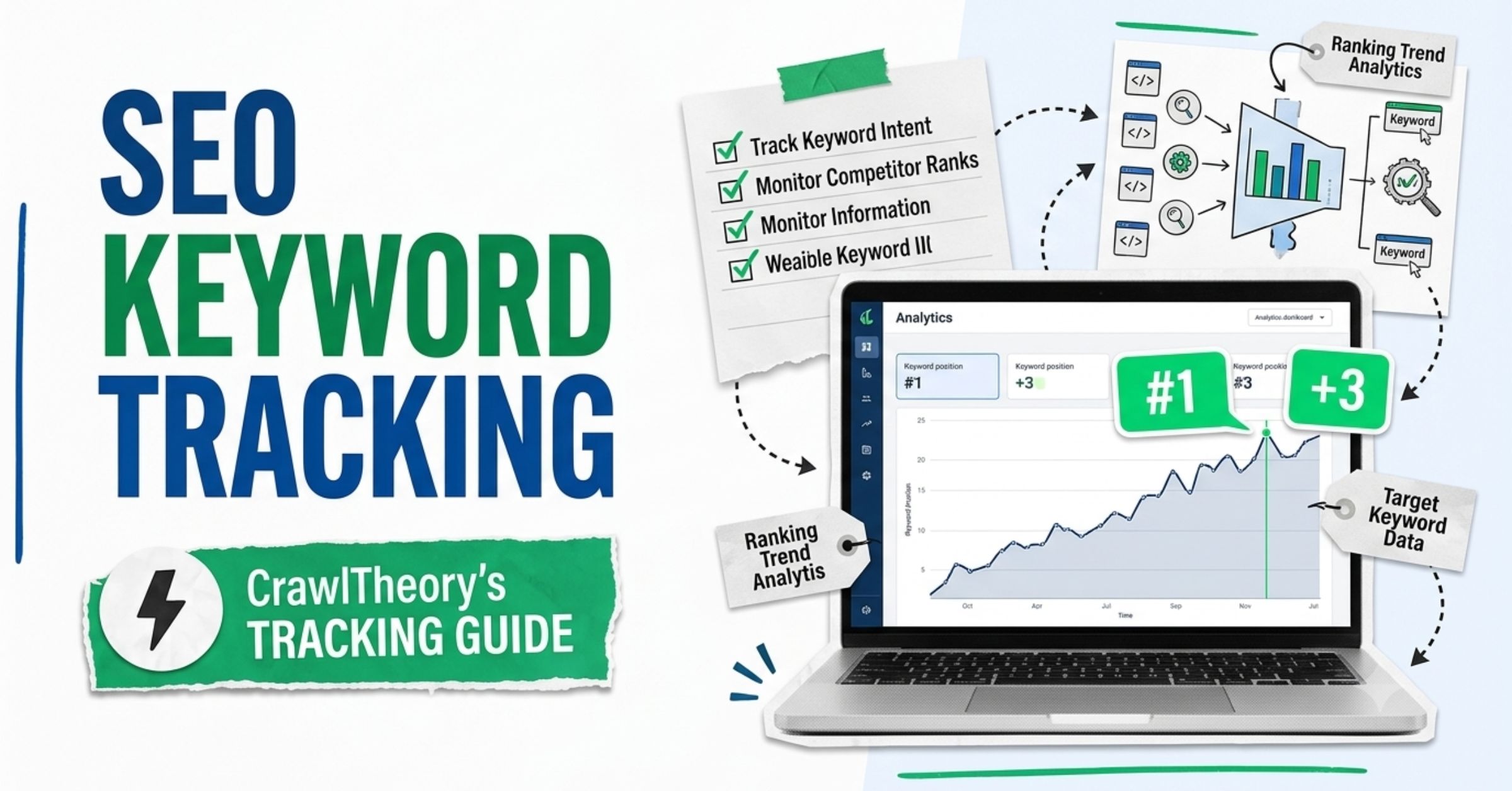
SEO keyword tracking is the process of monitoring where your website pages appear in Google (and other search engines) for specific search queries — and watching those positions change over time.
In plain terms: you pick the search phrases that matter to your business, and you check how high up in Google your pages show for those phrases. Then you do it again next week. And the week after. You’re looking for patterns, not moments.
That’s it. Everything else — the tools, the dashboards, the reports — is just infrastructure around that one core habit.
Why does this matter? Because without tracking, you’re doing SEO blind. You publish content, build links, fix technical issues — but you have no idea if any of it actually moved the needle. Keyword tracking closes that loop.
According to data from DashThis, positions 11–20 are the most actionable group in any campaign. A keyword stuck on page 2 is often one content refresh away from page 1 — where over 90% of all clicks happen.
Why SEO Rank Monitoring Is Not Optional
Why do rankings even matter for my business?
Your keyword ranking is your visibility score. If you sell accounting services in Phoenix and your site shows up on page 3 for “accountant Phoenix,” practically nobody finds you from search, regardless of how good your website looks.
Higher rankings = more impressions = more clicks = more customers. The chain is that direct.
Here’s what keyword rank monitoring gives you that you can’t get any other way:
- Proof your SEO is working (or isn’t)
- Early warning when rankings drop, so you can act before traffic falls
- Competitive intelligence — if a competitor outranks you for a key term, something changed
- Content opportunities — keywords trending upward that you’re not fully optimized for
- ROI evidence for clients, bosses, or yourself
No. Tracking is the raw data collection. Reporting is the story you tell with that data. Most people skip straight to reporting without actually understanding what the numbers mean.
Weekly is the right cadence for most businesses. Daily checks create noise — rankings fluctuate naturally. Monthly is too slow to catch drops early enough to fix them.
Never track your rankings by typing keywords into Google while logged into your account. Google personalizes results based on your search history, location, and browser data. What you see is not what your potential customers see. Always use a dedicated SEO rank tracker or an incognito window with location set correctly.
How SEO Keyword Tracking Actually Works
What is happening behind the scenes when a rank tracker checks my position?
A rank tracker software sends automated queries to Google (or Bing, YouTube, etc.) from neutral server locations — simulating what a real searcher would see. It records your page’s position for each keyword you’re monitoring, stores that data over time, and presents it as a ranking history.
The keyword is neutral. Professional tools query from clean IP addresses with no cookies, no history, no personalization. That’s why they give you more accurate data than a manual browser check.
Here’s the full picture of what good SEO rank monitoring captures:
| What Gets Tracked | Why It Matters |
|---|---|
| Keyword position (1–100+) | Your visibility for that term |
| Position change (up/down) | Whether your SEO is working |
| Device type (mobile vs. desktop) | Google indexes mobile-first |
| Location (city/ZIP level) | Critical for local businesses |
| SERP features (snippets, packs) | You may appear above rank #1 |
| Competitor positions | Know when rivals gain on you |
| Historical trend | Patterns beat single data points |
Google Search Console shows an average across all searches for that query over a period. A rank tracker checks a specific position at a specific time and location. Both are useful — GSC for trend analysis, rank trackers for precise competitive positioning.
Yes. Google Search Console is the most accurate free option — because the data comes directly from Google. It shows your average position, impressions, and clicks for every search query that generates an impression on your site. The limitation: it doesn’t give the exact real-time position for a specific location or device.
The Right Way to Set Up SEO Keyword Tracking
How do I know which keywords to track?
This is where most beginners go wrong. They track 200 random keywords and drown in data — without a clear answer to “is my SEO working?”
Here’s the practical framework I use across client websites:
Step 1 — Identify your core money keywords
These are the 5–15 search terms most directly connected to your business goals. For a dentist in Austin: “dentist Austin TX,” “teeth cleaning Austin,” “emergency dentist near me.”
Step 2 — Add your content keywords
Every major blog post or service page should target at least one trackable keyword. Track those too.
Step 3 — Include competitor-level terms
Pick 3–5 keywords you want to win but currently don’t rank for. Track them as benchmarks.
Step 4 — Tag keywords by intent
Label each keyword as: Informational (how-to content), Commercial (comparison/review content), or Transactional (buying/hiring intent). Report on these groups separately — a rise in transactional keywords matters more to your revenue than a rise in informational ones.
Step 5 — Set your location correctly
If you’re a local business, track from your city or ZIP code. National brands need country-level tracking. Getting this wrong makes all your data useless.
Always track your keywords in a spreadsheet alongside your rank tracker. Note when you publish new content, build backlinks, or make site changes. When your ranking moves, you’ll know exactly what caused it. This simple habit turns rank data into a learning system.
SEO Rank Tracker Tools: Free vs. Paid
What are the best SEO rank tracker software options available right now?
The right tool depends on your budget, business size, and how much you want to automate.
Free Tools (Start Here)
Google Search Console: The most reliable free rank tracker available. It pulls data directly from Google — no third-party estimates. Use it to track impressions, clicks, CTR, and average position for every query your site appears for. The setup takes 30 minutes. After that, data starts accumulating within a few weeks.
Best for: Any website owner, especially beginners. Non-negotiable starting point.
How to use it for tracking: Go to Search Console → Performance → Search Results. Enable “Average Position.” Filter by specific queries to see where individual keywords rank. Export to Google Sheets for historical tracking.
Google Trends: Not a rank tracker, but an important companion tool. Use it to understand seasonal demand shifts for your keywords. If you’re tracking “HVAC maintenance” and see a ranking drop in July, Trends might show that search volume just dropped because summer is over — not because your SEO failed.
Paid SEO Rank Checker Software (When You Need More)
| Tool | Best For | Starting Price |
|---|---|---|
| SEMrush | All-in-one tracking + competitor data | ~$139/mo |
| Ahrefs | Deep ranking history + backlink context | ~$129/mo |
| Moz Pro | Local SEO + ZIP-code level tracking | ~$99/mo |
| SE Ranking | Agencies, daily updates, white-label | ~$65/mo |
| Mangools (SERPWatcher) | Beginners, clean UI, affordable | ~$29/mo |
| AccuRanker | Real-time tracking, enterprise speed | ~$116/mo |
Note: Prices as of 2025. Always verify current pricing on each platform’s website.
Not to start. Google Search Console gives you everything you need to validate early progress. Upgrade to a paid tool when you’re managing multiple clients, tracking local vs. national separately, or need daily updates and competitor data.
Accuracy varies by tool, but any quality rank tracker that queries from neutral server locations (not your browser) will give you reliable data. The bigger issue is consistency — use the same tool every time so you’re comparing apples to apples.
Do not cancel your rank tracker subscription during an SEO campaign and expect to resume tracking meaningfully. Historical data is everything. A tool that shows you “where you are now” without showing you “where you were 6 months ago” is nearly useless for diagnosing progress or problems. Choose a tool and stick with it.
Reading Your Rank Data: What the Numbers Mean
How do I actually interpret keyword ranking data?
Tracking is worthless if you don’t know what to do with the data. Here’s how to read it correctly.
The Position Number
Position 1–3 = high visibility, most of the clicks
Position 4–10 = page 1, decent traffic
Position 11–20 = page 2, very little organic traffic
Position 21+ = largely invisible to most searchers
The Trend (More Important Than the Number)
A keyword at position 15 that was at 30 two months ago is a win. A keyword at position 8 that was at 3 last month is a problem. Always read the position in the context of its direction.
Impression vs. Click Data (from GSC)
High impressions + low clicks = you’re showing up, but your title and meta description aren’t compelling enough to earn the click. Fix the page’s meta tags. Check out our on-page SEO checklist for more details.
Low impressions = Google isn’t showing you enough. This is a deeper SEO problem — usually thin content, weak authority, or poor keyword targeting.
The Striking Distance List
Every 90 days, export your keyword data and filter for positions 11–20. These are your highest-leverage targets. They’re already indexed, already showing up — just not on page 1. A targeted content update often pushes several of them over the line.
In SEMrush or Ahrefs, use the “Position Changes” view, not just current position. Filter for keywords that dropped significantly in the last 30 days — those are your alerts. For every drop, ask: Did I change anything on this page? Did a competitor publish new content? Was there a Google algorithm update? This three-question diagnostic solves 80% of ranking drops fast.
Real-World Example: What SEO Keyword Tracking Looks Like in Practice
I worked with a law firm in North Carolina for over 18 months. When we started tracking, they had a handful of keywords ranking on pages 2–3 for city-level searches. We set up tracking across 60 keywords split by city, practice area, and intent (informational vs. transactional).
Three things keyword tracking revealed that we wouldn’t have caught otherwise:
- A ranking drop we didn’t cause. A competitor had published a new practice area page targeting the same city terms. Our tracking flagged the drop in week two. We responded with a content update and recovered within six weeks.
- Content that was working better than expected. A blog post we wrote for “what to do after a car accident in [city]” started climbing without any additional promotion. Tracking showed it reaching position 8 — we then optimized it specifically for position 1, and it became their top organic traffic driver.
- Misaligned intent. One keyword we tracked had strong impressions but near-zero clicks. The tracking data pointed us to audit the page. The content was informational, but the keyword was transactional. We rebuilt the page — conversion rate went up immediately.
Without systematic SEO rank monitoring, all three of these insights stay invisible.
Don’t obsess over daily ranking fluctuations. Google’s algorithm naturally shuffles positions constantly — sometimes by 2–5 spots overnight for no reason. What you’re looking for is sustained movement over 2–4 weeks, not single-day noise. Daily panic over normal fluctuation is one of the most common time-wasters in SEO.
Local SEO Rank Tracking: A Different Challenge
Does keyword tracking work differently for local businesses?
Yes — significantly. Local businesses don’t just compete nationally. They compete within a city, a neighborhood, or even a ZIP code. A plumber in Dallas needs to rank for “plumber Dallas” — but what appears in Dallas search results is different from what appears in Chicago.
This means your rank tracker must be configured to query from your target location. Most paid tools support city or ZIP-code level tracking. Google Search Console doesn’t directly support this, but the data it provides is still location-influenced based on where your actual searchers are.
For local businesses, also track:
- Your Google Business Profile pack appearance (the map results)
- “Near me” keyword variants — these are tracked differently
- Mobile rankings separately from desktop — local searches skew heavily mobile
For a deeper breakdown of local ranking factors, see our guide on local search optimization strategy.
Common SEO Keyword Tracking Mistakes to Stop Making
What are the biggest errors people make when tracking keyword rankings?
Mistake 1: Tracking in a logged-in browser
As covered earlier, Google personalizes results. You’ll see a version of Google tailored to your history, not what new visitors see. Always use a dedicated tool or strict incognito with location cleared.
Mistake 2: Tracking keywords that don’t connect to revenue
Ranking #1 for “what is SEO” when you’re an SEO agency is fun, but it doesn’t drive clients. Every keyword in your tracker should map to a real business goal — a product, a service, a lead.
Mistake 3: Not tracking competitors
Knowing your position without knowing your competitors’ positions is half the picture. If you’re at position 5 and your competitor is at position 4, you know exactly what you need to beat. If you don’t track competitors, you’re navigating without a map.
Mistake 4: Changing tools every 6 months
Data continuity is everything in rank monitoring. Switching tools resets your history. Pick one tool, stick with it, and export your data regularly as a backup.
Mistake 5: Ignoring SERP features
Your page might rank at position 4, but if a featured snippet or AI Overview appears above position 1, the effective click-through rate for position 4 drops significantly. Track whether you appear in SERP features — not just the 10 blue links.
Check more of such SEO mistakes to avoid in our explicit resource.
A ranking improvement is not automatically a traffic improvement. If your keyword moved from position 8 to position 4 but a featured snippet appeared at the top of that SERP, your click-through rate may have barely changed. Always pair rank data with GSC click data to get the real picture.
SEO Rank Tracking in the Age of AI Search
Does keyword tracking still matter when AI Overviews are changing search results?
Yes — but it’s evolving. AI Overviews (Google’s AI-generated answers at the top of some SERPs) are now appearing on a large share of informational queries. Being cited inside an AI Overview is increasingly as valuable as ranking #1 in the traditional results below it.
Here’s what this means practically for your rank tracking setup:
- Track AI Overview citations — some tools like Keyword.com now flag when your content is cited in AI Overviews
- Don’t abandon traditional rank tracking — AI Overviews don’t appear for every query, especially commercial and transactional ones
- Track impressions + clicks together — AI Overviews may suppress click-through rates even for top-ranked pages, so position alone tells less of the story than before
For a complete breakdown of how AI platforms discover and cite content, read our guide on how to get your website listed in AI search results.
Research from Keyword.com shows that AI Overviews now appear on the majority of “how-to” and “best X” queries. If your content ranks on page 1 for those terms but isn’t being cited in the AI Overview, you may be missing the majority of the impressions that query generates.
Building a Simple Keyword Tracking System (Without Expensive Tools)
How do I set up basic keyword tracking if I’m just getting started?
You don’t need a $200/month subscription to start. Here’s a zero-cost system that works:
Step 1: Set up Google Search Console
Verify your site (takes 10 minutes). It starts collecting data immediately. Within 30 days, you’ll have enough to see meaningful trends.
Step 2: Create a tracking spreadsheet
Export your GSC data monthly into Google Sheets. Record:
- Top 20–30 queries by impression
- Average position for each
- Month-over-month position change
Step 3: Add a change log column
Every time you publish new content, update a page, build a link, or make a technical change — log it with the date. When rankings move, you’ll have context.
Step 4: Review every 30 days
Ask these questions:
- Which keywords improved? What did I do that might have caused that?
- Which dropped? Did I change anything? Was there a Google update?
- Which are in positions 11–20? Which ones should I prioritize updating next? This system catches 80% of what a paid tool catches — and it costs nothing.
You May Ask
SEO keyword tracking is the process of monitoring where your website pages appear in search engine results (like Google) for specific search queries, and recording how those positions change over time.
Google Search Console is the best free option — it shows your site’s average position, impressions, and clicks for every query directly from Google. Export the data monthly and track changes in a spreadsheet.
Yes, but you need to configure your rank tracker to query from your target city or ZIP code. Google’s local results differ significantly by location. For local businesses, also track your Google Business Profile’s map pack visibility separately.
Google continuously updates its algorithm, re-crawls pages, and adjusts results based on user behavior signals. Daily fluctuations of 2–5 positions are normal. Sustained drops over 2–4 weeks are worth investigating.
For beginners, Google Search Console (free). For paid tools, SEMrush and Ahrefs are the most comprehensive. For local businesses specifically, Moz Pro offers ZIP-code level tracking. For agencies needing speed and scale, AccuRanker is a strong choice.
Weekly review is ideal for most businesses. Daily monitoring creates noise from normal fluctuations. Monthly is too infrequent to catch and respond to drops before they affect traffic.
Key Takeaways
SEO keyword tracking is not a vanity exercise. It’s the feedback loop that tells you whether everything else you’re doing in SEO is working.
Here’s what to remember:
- Start with Google Search Console — it’s free, accurate, and already tracking your site if it’s verified.
- Track trends, not single positions — a keyword going from 22 to 14 to 9 over 10 weeks tells a clear story; one number never does.
- Prioritize page 2 keywords (positions 11–20) — these are closest to page 1 and respond fastest to content updates.
- Connect rankings to clicks and conversions — position improvements only matter if they drive real traffic and business outcomes — track those in GA4.
- Add context to your data — log what you do and when. Your rank tracker shows what happened; your change log explains why.
Hungry for more SEO tips? You have barely scratched the surface! Turn back to The Crawl Theory Home, walk through our step-by-step SEO Guides, stay informed on the latest SEO News, or look through our helpful SEO Resources.