
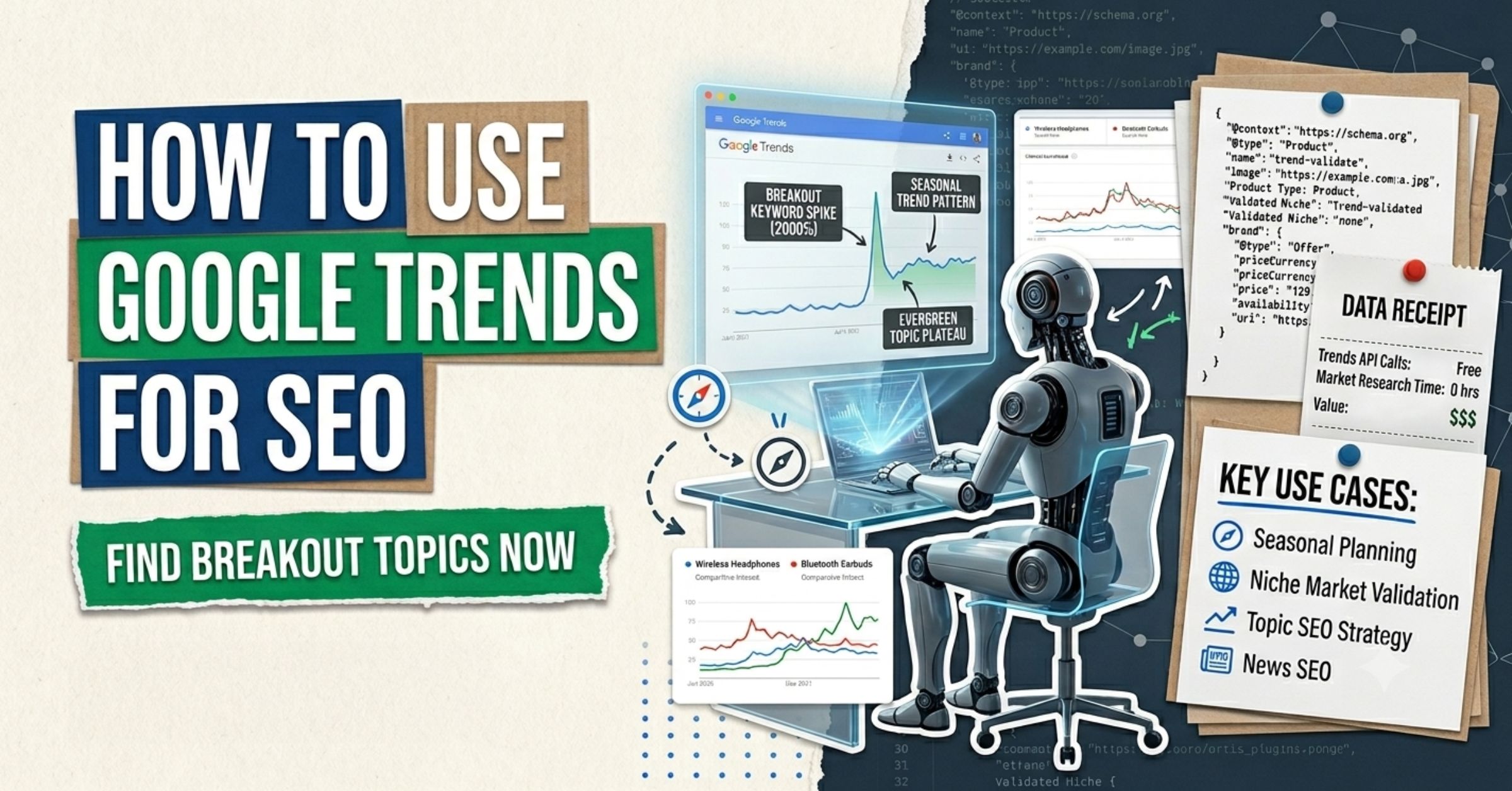
Google Trends is the most underused free tool in SEO. Every agency subscription stack has Semrush, Ahrefs, and Google Search Console — but Google Trends is the one that shows you what people actually care about right now, not what was popular when a keyword database last refreshed. Knowing how to use Google Trends for SEO is no longer optional; in 2026, it is the difference between publishing into demand and publishing into a void.
This guide covers the full spectrum: from the basics of reading the interface, to using Google Trends for keyword research, news SEO, seasonal planning, cross-border B2C ecommerce market validation, and — importantly — how trending data connects to AI Overview citations. These are tactics drawn from five years and over 300 websites across multiple industries and geographies.
What Is Google Trends and How Does It Actually Work?
Google Trends is a free tool by Google that shows the relative search interest in any topic or keyword over time, across geographies and search surfaces. The keyword is relative. The tool uses a 0-to-100 index, where 100 represents the peak of interest in the selected time period, not an absolute search volume number.
This distinction matters. A score of 80 for ‘solar panel installation’ does not mean 80,000 searches. It means that at this moment, interest is at 80% of the highest point ever recorded for that term in your selected window. To get the actual volume, you still need Google Keyword Planner or Search Console.
Google Trends pulls from a representative sample of real search data across Google Search, Google News, Google Shopping, Google Images, and YouTube. You can filter by any one of these search surfaces — which is a capability most practitioners ignore entirely, and one we will cover in detail.
How It Indexes: Google normalizes search data by region and time to remove factors like overall search volume growth. This is why Trends data is comparable across time periods and geographies without being distorted by the fact that there are simply more people on the internet now than in 2010.
Yes — it has two modes: a Trending Now section that updates in real time (last 24 hours), and an Explore section where you can select custom time ranges going back to 2004. For SEO, you will mainly use the Explore section for strategic planning and the Trending Now section for news and reactive content.
Yes. You can compare up to five keywords or topics simultaneously. The graph recalibrates so that the highest interest across all compared terms becomes 100. This is extremely useful for evaluating keyword variants before committing to one primary target.
Why Google Trends Matters for SEO in 2026
Traditional keyword research tools are backward-looking. They tell you the average monthly search volume over the past 12 months. Google Trends is forward-looking — it tells you the direction of demand. For SEO strategy, direction matters more than current volume.
In 2026, two developments have made Google Trends more strategically important than ever:
- AI Overviews now surface on a much broader range of queries. These AI-generated answers pull from content that demonstrates genuine topic authority and real-time relevance. Trending data helps you identify which topics the AI is likely to be answering with generic content — and where a data-specific, experience-backed piece could earn a citation.
- Zero-click search now accounts for over 68% of Google queries (Statista, 2026). Publishing into a trending keyword that triggers an AIO will often yield impressions without clicks. Knowing this in advance changes your content prioritization.
- Cross-border B2C ecommerce is projected to hit USD 1.94 trillion in 2026, growing at 18.6% CAGR. For sellers entering new markets, Google Trends provides free regional demand validation that was previously only available through expensive market research tools.
How to Navigate Google Trends: The Core Interface
Go to trends.google.com. The homepage shows ‘Trending Now’ — the daily and real-time search spikes globally or by country. This is useful for news and reactive content, but not for long-term SEO strategy. For strategy, click ‘Explore.‘
The Explore Dashboard: Five Key Controls
When you enter a term in Explore, five filter controls determine the data you see:
| Control | What It Does | Default | SEO Use Case |
|---|---|---|---|
| Location | Narrows to a country, state, or metro area | Worldwide | Local, regional, or cross-border targeting |
| Time Range | Sets historical window (from 1 hour to 2004) | Past 12 months | Seasonal patterns, trend direction |
| Category | Filters by Google’s topic taxonomy | All Categories | Removes ambiguity from generic terms |
| Search Type | Web, Image, News, Shopping, YouTube | Web Search | News SEO, video SEO, and ecommerce research |
Most practitioners only adjust the time range. Changing the Search Type filter to ‘Google News’ or ‘YouTube Search’ unlocks an entirely different layer of data that most guides never cover.
Interest Over Time Graph: Reading the Signal Correctly
The graph is your primary diagnostic tool. Here is what each pattern tells you:
- Flat line near 0: This topic has near-zero relative demand. Do not invest.
- Consistent plateau (60-80 range over 12+ months): Stable, evergreen demand. Good for foundational content with no urgency to time the publish date.
- Annual spike pattern: Seasonal topic. Your content must be published and indexed at least 4-6 weeks before the spike to rank at the peak.
- Rising slope over 90 days: Emerging topic. Publish now. If you wait until this is on a competitor’s radar, the opportunity window is smaller.
- Sharp spike then crash: Viral or news event. Traffic window is days, not months. Only pursue if you have the editorial infrastructure to publish same-day.
In 2026, over 68% of Google searches end without a click (Statista). This means trend-chasing content that is purely informational may earn impressions but never a conversion. Every piece of content inspired by Google Trends must have a clear next step — a download, a form, a service page — or the traffic is technically meaningless.
How to Use Google Trends for Keyword Research
The best way to use Google Trends for keyword research is not to use it as the starting point — it is to use it as the validation and expansion layer after you have a keyword candidate from a volume tool.
Step 1: Validate Keyword Direction
Enter your candidate keyword in Google Trends Explore. Set the time range to the past five years. You are looking for one of two patterns: stable demand (the keyword is safe to build around long-term) or rising demand (the keyword is gaining — prioritize it higher in your roadmap). A downward slope over five years is a signal to reconsider or find an evolved variant.
Real example: Searching ‘wireless earbuds’ vs. ‘Bluetooth headphones’ in Google Trends shows that ‘wireless earbuds’ overtook ‘Bluetooth headphones’ around 2018 and has continued rising. A site still optimizing primarily for ‘Bluetooth headphones’ has been building for the past. This is the kind of directional insight that standard keyword tools do not show you — they show volume, not momentum.
Do not use Google Trends as a standalone keyword tool. A trending search term with a score of 80 might have only 500 actual monthly searches — always cross-reference with a volume tool before building an entire content strategy around it.
Step 2: Mine Related Queries for Underserved Keywords
Below the main graph, Google Trends shows two columns: Related Topics and Related Queries. The ‘Rising’ tab in Related Queries is where the most valuable keyword opportunities live. These are queries gaining search interest fast — often with ‘Breakout’ labels, which means they have grown more than 5,000% in the selected period.
Breakout queries in your niche are typically low-competition. Why? Because no one has built content for them yet. They appear in standard keyword tools with either no data or inaccurate volume estimates because the tools have not yet gathered enough data on these terms. You are looking at the same data source Google itself uses — earlier than any third-party tool.
This directly informs your keyword ranking strategy — breakout queries from Trends are precisely the kind of search queries, not just keywords, that should drive your content roadmap.
Step 3: Cross-Reference With GSC for Confirmation
Once you identify a rising query in Google Trends, check it in Google Search Console. If the query already appears in your GSC data — even at low impressions — you are getting an early signal that Google is already associating your site with that term. That is your cue to build a dedicated piece that targets the intent directly, rather than relying on accidental association
Across SaaS clients we work with at CrawlTheory, the most reliable workflow is: Google Trends breakout query identified > GSC confirmation that site already has impressions for a variant > dedicated landing page or blog post built for the exact intent. Average time from identification to first-page ranking: 6-10 weeks when the site already has topical authority.
Q: How is Google Trends different from Google Keyword Planner?
Google Keyword Planner gives you estimated monthly search volume — a backward-looking average. Google Trends shows relative interest over time — a forward-looking momentum signal. Use Keyword Planner to confirm that a trend has real volume, and Trends to confirm the direction of that volume. Neither tool alone is sufficient.
Q: What does ‘breakout’ mean in Google Trends Related Queries?
‘Breakout’ indicates a query with more than 5,000% growth in search interest within the selected time period. These are almost always low-competition because very little content exists for them. They represent the earliest-mover keyword opportunities in any niche.
While tracking user demand trends is a great starting point, it’s only one piece of the puzzle. See our full toolkit breakdown for other essential SEO tools to streamline your workflows.
Seasonal SEO and Content Calendar Planning with Google Trends
One of the most actionable uses of Google Trends is building a content calendar around seasonal demand patterns. This is especially high-value for e-commerce, hospitality, local services, and any B2C business with cyclical buying behavior.
The process is straightforward. Enter your core keyword and set the time range to ‘Past 5 years.’ If you see an annual spike pattern, note the month it peaks each year. Then count backward 4-6 weeks from that peak — that is your publish date. Your content needs to be indexed, crawled, and begin to accumulate engagement signals before the spike arrives, not during it.
A concrete example: searches for ‘tax preparation services’ spike in the US in January and again in late March. A firm that publishes optimized content on ‘how to choose a tax preparer’ in December and February will outrank firms that publish the same content in March, because the earlier piece has 6-8 weeks of indexing time, engagement signals, and potential backlinks before the peak. Your keyword placement decisions should also reflect this timing — seasonal pages should not sit idle at the back of a site architecture.
| Seasonal Pattern Type | Content Strategy |
|---|---|
| Annual single-spike (e.g., tax season) | Publish 4-6 weeks pre-peak. Update annually. |
| Annual dual-spike (e.g., back-to-school + holiday) | Two distinct content pieces or a hub + two spokes. |
| Summer plateau (e.g., travel, outdoor goods) | Evergreen pillar page + seasonal supporting posts. |
| January resolution spike (e.g., fitness, finance) | Publish content by December 15 at the latest. |
| Event-driven (e.g., election, sports season) | Reactive editorial calendar. Requires fast publish capability. |
Q: How far in advance should I publish seasonal SEO content?
For most niches, 4-6 weeks before the search interest peak is the minimum indexing runway. For highly competitive seasonal terms (e.g., ‘Black Friday deals’), the window is longer — some SEOs start publishing and building links 8-12 weeks out. Check Google Trends for the exact peak timing in your market over multiple years to calibrate your lead time.
Q: Can I use Google Trends for a content calendar for an entire year?
Yes. The most effective approach is to export 12 months of trend data for your 10-15 primary topics into a spreadsheet, identify the peak month for each, and reverse-engineer your publish dates. This becomes your primary editorial skeleton — everything else fills in around it.
Google Trends was originally built for journalists — the Google News Initiative still maintains a dedicated training module called ‘Storytelling with Google Trends’ precisely because trend data was designed to surface editorial angles, not just marketing keywords.
How to Use Google Trends for News SEO
Google Trends was originally built for journalists — and the News Search filter remains one of its most powerful and least-used features. Filtering to ‘News Search’ shows you which keywords are spiking specifically in news contexts, not just general web search.
Use the ‘Compare’ function to run up to five keywords simultaneously. Then export the CSV data and paste it into a spreadsheet. Sort by ‘rising’ interest score over a 90-day window. This surfaces compound keyword opportunities — terms rising together that you can group into a single, highly-targeted content piece that satisfies multiple related intents.
For publishers, content marketers, and anyone running a blog in a fast-moving niche, this is how you use Google Trends for news SEO:
- Enter your core topic in Explore. Change the Search Type dropdown from ‘Web Search’ to ‘News Search.’
- Check the Interest Over Time graph. A spike on News Search that does not appear on Web Search means a news event is driving short-term search behavior. This is reactive content territory.
- Scroll to Related Queries for the News Search filter. The Rising queries here are the exact angles journalists and readers are currently searching for. These are your article angles.
- Publish within 24-48 hours if targeting news-driven traffic. Use the Google News Initiative training on Storytelling with Google Trends to understand how to contextualize trending news data within a story framework.
- For an evergreen editorial strategy, look for topics that have recurring news spikes. These are the topics where a well-optimized explainer or backgrounder page will capture traffic every time the story resurfaces — without you needing to publish new content each cycle.
A recurring pattern we observe: a news event spikes a query. A publisher writes a reactive piece. Six months later, the story resurfaces. The reactive piece — if it was built with proper structure, internal links, and on-page optimization — captures the second and third wave of traffic automatically. Build the evergreen frame around every reactive piece you write.
Q: What is the difference between ‘Trending Searches’ and the ‘News Search’ filter in Google Trends?
‘Trending Searches’ shows real-time spikes across all search types in the past 24 hours. The ‘News Search’ filter in Explore shows historical interest data specifically for queries entered through Google News. For news SEO, you want the News Search filter because it shows recurring news patterns — not just today’s spike.
Google Trends for Cross-Border B2C Ecommerce SEO
For businesses selling across borders, Google Trends is one of the few free tools that gives you genuine market-level demand intelligence. The global cross-border B2C ecommerce market is projected to reach USD 1.94 trillion in 2026 (Business Research Insights), and the B2C segment holds approximately 69.8% of the total cross-border ecommerce market.
Most sellers entering new markets use expensive third-party reports or rely on platform data (Amazon, Alibaba) that is walled behind seller accounts. Google Trends is open, free, and updated continuously.
The global cross-border B2C ecommerce market is projected to reach USD 1.94 trillion in 2026, growing at 18.6% CAGR — yet most sellers use expensive third-party market research tools when Google Trends provides free, region-level demand signals that update in real time.
Market Demand Validation Before Localization Investment
Before investing in translated product pages, regional domain setup, or local SEO infrastructure, use Google Trends to validate whether demand actually exists in your target market.
- Enter your primary product keyword in Google Trends.
- Switch the Location to your target country (e.g., Germany, Brazil, UAE).
- Compare interest levels between your home market and the target market.
- Check the Related Queries for the target country — these may reveal a different set of terms used in that market for the same product. Localization is not just translation.
Real pattern: A D2C skincare brand considering expansion from the US to Southeast Asia ran five product keywords through Google Trends for Indonesia, Vietnam, and Thailand. Two keywords showed a strong rising interest in all three markets. Two showed flat interest with no regional traction. One showed a ‘breakout’ signal exclusively in Vietnam. The brand prioritized Vietnam for initial localization and built a country-targeted content strategy around the single breakout term before launching paid acquisition, reducing market entry cost significantly by not building content for terms with no local demand.
Comparing Seasonal Demand Across Markets
Seasonal peaks differ by geography. ‘Air conditioner’ searches peak in May in the US, but in October in Australia. ‘Winter jacket’ peaks in September in Germany but in June in New Zealand. For a cross-border seller, running category-level searches in Google Trends by market ensures that your content calendar, promotional timing, and paid campaign structure reflect local seasonality — not the launch calendar from your home market.
Any cross-border business with physical presence in a local market needs to align Google Trends regional data with local search visibility tactics for maximum coverage.
| What Google Trends Validates for Cross-Border B2C | What It Cannot Tell You |
|---|---|
| Relative demand by country for specific products | Actual monthly search volume (use Keyword Planner for this) |
| Seasonal timing differences across markets | Purchase intent vs. informational intent breakdown |
| Localized keyword variants (via Related Queries by region) | Competitor paid search investment by region |
| Emerging categories in a target market | Product-level conversion data |
| Whether a product trend is rising or declining regionally | Language-specific keyword difficulty scores |
Q: Can Google Trends help with multilingual keyword research for cross-border SEO?
Partially. If you enter an English keyword and filter to a non-English speaking country, the Related Queries section will show you both English and localized-language queries people are using in that market. This is a strong starting point for multilingual keyword research — though you will need native-language SEO validation to confirm intent accuracy.
Q: Which markets show the strongest Google Trends signals for cross-border B2C in 2026?
Asia-Pacific leads with over 29% of the cross-border ecommerce market share, followed by North America at 24.3% (Coherent Market Insights, 2026). In Google Trends terms, markets like India, Vietnam, Brazil, and Indonesia consistently show ‘rising’ interest patterns for cross-border product categories — particularly in electronics, beauty, and fashion.
Short-spike trends (viral news, meme keywords) can produce an artificial ‘breakout’ signal. If the interest graph shows a vertical spike with no historical base, the traffic window is likely days, not months. Verify the pattern before investing.
Using Google Trends to Target AI Overviews and AI Search Citations
In 2026, a well-executed SEO strategy must account for AI-generated answers — Google AI Overviews, Google AI Mode, Perplexity, and ChatGPT. Google Trends plays a specific and underappreciated role here: it helps you identify what I call ‘Opportunity Voids’ — topics where search interest is rising, but the AI cannot yet provide a data-specific, high-quality answer.
The pattern works like this: a trending query spikes in Google Trends. You search that query in a major AI platform (ChatGPT, Perplexity, or Google AI Mode). If the AI response is vague, generic, or cites only years-old data, that is your window. Publish a content piece that contains the specific data, named examples, or current context that the AI cannot yet supply. The AI, seeking factual grounding for its answers, is more likely to reference content that provides what it lacks.
Google’s own framework now rewards what it calls ‘Information Gain’ — content that provides genuinely new information over content that rephrases what already exists. A Google Trends breakout query, by definition, is a topic the existing web has not yet fully addressed. This makes breakout queries and Opportunity Voids natural overlaps. Your on-page SEO optimization for AI search for these pieces should reflect this — structured clearly, citing specific data, with schema markup that helps AI systems parse and attribute your content.
For the full framework on earning these citations, see our answer engine optimization best practices.
One of our clients — a Jeep modifier in Roswell, GA — was cited by ChatGPT after 12 months of consistent topical authority building through blog content. A customer came in specifically because ChatGPT had recommended the shop in response to a modification query. The blog topics that drove topical authority were all identified through Google Trends breakout queries in the off-road and automotive modification niche.
Q: Does Google Trends data influence Google AI Overviews?
Not directly — Google AI Overviews are generated from indexed content, not from Trends signals. However, Trends helps you identify the exact trending queries that AI Overviews are likely to target, and helps you build content that is specific enough to be cited within those overviews. The relationship is indirect but strategically important.
Q: How do I find ‘Opportunity Voids’ using Google Trends?
Enter a rising or breakout keyword from Google Trends into ChatGPT, Perplexity, or Google’s AI Mode. Evaluate the quality of the response. If the AI answer is generic, uses old data, or lacks specific context — publish a piece that fills that gap with real data, expert experience, or current citations. This is the mechanism for earning AI citations — see how to get your website listed in AI search results.
AI Overviews now appear on a significantly broader range of queries. If you are targeting a trending keyword and an AIO fires for it, your Page 1 ranking may deliver near-zero clicks. Check whether a query triggers an AIO before investing production hours in that keyword.
For AI search visibility (ChatGPT, Perplexity citations), pair Google Trends breakout queries with an ‘Opportunity Void’ check — search the query in the AI platform and look at the response quality. If the AI gives a vague or generic answer with no cited data, that is your window to publish a data-rich, cited piece that the AI will reference in future answers.
The Google Trends SEO Workflow: A Step-by-Step Summary
Bringing it all together, here is the practical workflow for using Google Trends as a regular part of your SEO process:
- Weekly Trending Review: Check ‘Trending Now’ each week, filtered to your target country. Flag any trending topic that intersects with your niche. If it has a recurring search history (check Explore), add it to your editorial queue.
- Monthly Keyword Direction Audit: Take your top 10-15 target keywords. Run each through Explore with a 5-year view. Flag anything with a downward slope. Identify your strongest ‘rising’ terms and prioritize them in your content roadmap.
- Quarterly Content Calendar Build: Export trend data for your seasonal keywords. Build your editorial calendar backward from each spike, giving yourself 4-6 weeks of runway before each peak.
- Cross-Border Market Check (ecommerce): Before any new market entry, run category keywords through Trends for the target country. Compare seasonal patterns. Export Related Queries for localized keyword insights.
- Breakout Query Mining: Monthly, check the Rising tab in Related Queries for your core topic clusters. Any breakout term becomes a priority content brief. Cross-reference with GSC to see if Google is already connecting your site to the term.
- AI Opportunity Void Check: For breakout queries, run a search in ChatGPT or Perplexity. If the AI response is weak, publish a data-specific piece targeting that query. Include structured data (HowTo, FAQPage schema) to maximize AI parseability.
Please note that while Trends shows you external macro-level search demand, you need internal tracking to see if that traffic converts. Pair these insights with our walkthrough of GA4 for beginners to measure actual on-site user behavior.
Frequently Asked Questions: Google Trends for SEO
Q: Is Google Trends free to use for SEO?
Yes. Google Trends is entirely free. You do not need a Google account to use the Explore function. An account is not required for data export either. It is one of the most powerful free tools in any SEO stack.
Q: How often is Google Trends data updated?
The ‘Trending Now’ section updates in real time (within minutes to hours). The Explore section updates daily for recent data and is continuously recalibrated for historical data. For news SEO applications, the real-time feed is most relevant. For keyword strategy, the daily Explore data is sufficient.
Q: Can I use Google Trends for local SEO keyword research?
Yes — this is one of its strongest use cases. Filter by country, then further by state, metro area, or city (where available). For a local business, this shows whether demand for your service category is rising or declining in your specific geography. It also surfaces local-intent related queries that may not appear in national keyword data.
Quick Grab: Google Trends is highly effective for isolating geographical demand. You can use it to pinpoint when and where search volume spikes for location-dependent phrases, directly informing your strategy on how to rank for near me searches.
Q: What is the best way to use Google Trends for keywords in SEO?
The best way is as a directional and expansion tool, not a volume tool. Use it after identifying keyword candidates in a volume-based tool. Validate that interest is stable or rising. Mine Related Queries (Rising tab) for breakout opportunities. Use the Compare function to select the strongest variant across a keyword group. Then confirm volume with Keyword Planner before building content.
Q: How do I use Google Trends for YouTube SEO?
Change the Search Type filter to ‘YouTube Search’ in the Explore dashboard. This shows you trending queries specifically within YouTube’s search engine, which is the world’s second-largest search engine. This is essential for video content strategy and identifying topics with video-specific demand. Related Queries under the YouTube filter often show different intent patterns than web search, particularly for tutorial, review, and how-to content.
Q: Is Google Trends useful for competitive SEO analysis?
Yes. Enter a competitor’s brand name or core product term and compare it against your own brand or terms. The comparative view shows relative momentum. A competitor whose brand interest is declining may be losing market positioning — an opportunity to capture their audience with content that serves their previously-engaged searchers.
The bottom line on using Google Trends for SEO is this: the tool tells you where demand is going, not where it has been. Every site that consistently outpublishes its competitors on emerging topics — before the traffic arrives — is using some version of this workflow, whether they call it trend analysis or not.
Publish before the peak. Build for the AI. Mine what others miss.
Glad you read this far? There is a wealth of knowledge left to uncover! Go back to The Crawl Theory Home, learn from our step-by-step SEO Guides, review the latest SEO News, or utilize our helpful SEO Resources.