
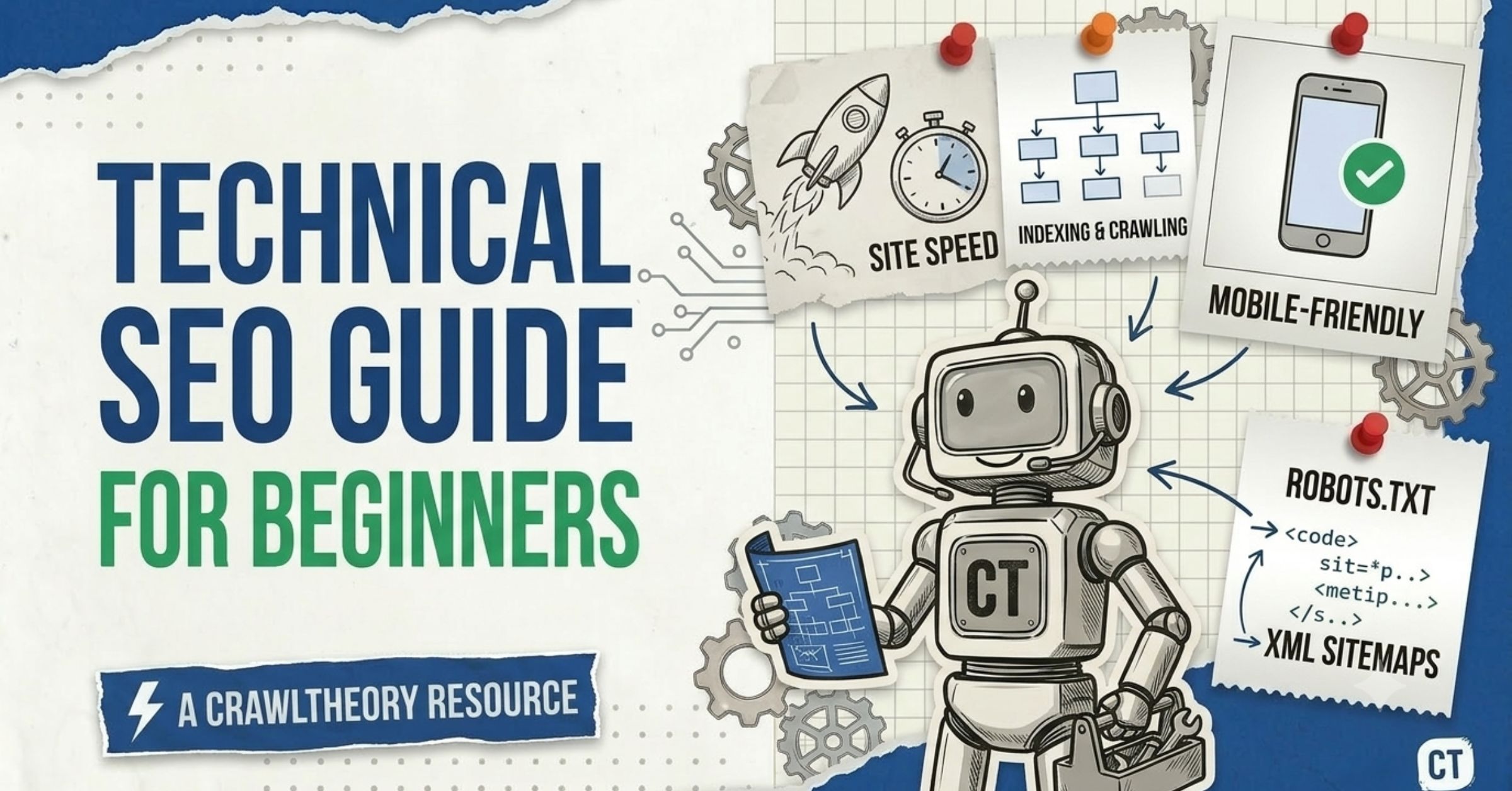
If you have ever published a great page and watched it get zero traffic, this technical SEO guide for beginners is for you. Technical SEO is the plumbing of your website: the behind-the-scenes work that lets search engines (and now AI tools like ChatGPT, Gemini, and Claude) find your pages, read them, and feel safe recommending them. Get the plumbing right and everything else — your content, your link building, your rankings — works harder for you.
I’m Yash from CrawlTheory. Over the last five years, I’ve worked hands-on across 300+ websites — local shops, law firms, SaaS, and e-commerce stores in the US and India. The pattern repeats everywhere: beautiful content held back by a few fixable technical problems. This guide is the plain-English version I wish more beginners had.
Quickie: Technical SEO isn’t about chasing a perfect score. It’s about removing the roadblocks that stop search engines from doing their job.
What Is Technical SEO (In Plain English)?
Technical SEO is the process of optimizing your website so search engines can easily find, crawl, understand, and index your pages — and so visitors get a fast, stable, secure experience. It has nothing to do with what you write. It’s about how your site is built and how it performs behind the scenes.
Think of SEO as a three-legged stool:
- On-page SEO — your content, headings, and keywords. (See our on-page SEO checklist.)
- Off-page SEO — your reputation, mostly built through link building.
- Technical SEO — the foundation that lets the other two legs hold weight.
Remove the technical leg, and the whole stool wobbles. Technical SEO is the process of optimizing the more technical aspects of your website for better rankings in the search results — things like page speed, crawlability, and indexing.
According to one widely cited study, around 91% of pages get no organic traffic from Google at all. A large slice of that is fixable technical problems — pages search engines simply never crawl or index properly.
Why does technical SEO matter so much?
Because search engines are automated. Google is a fully automated search engine that uses programs called crawlers to constantly explore the web, looking for pages to add to its index. If a crawler hits a roadblock — a blocked file, a broken link, a page that loads too slowly — it may give up. A page that isn’t indexed cannot rank. It’s that simple.
Not as much as people fear. The fundamentals are straightforward and most fixes are done inside your CMS (WordPress, Shopify, Webflow) using settings or plugins — not custom code. The hard part isn’t doing the fix; it’s knowing which problem to look for. That’s exactly what this guide teaches.
No. Most day-to-day technical SEO is plugin configuration, CMS settings, and small file edits. You’ll only need a developer for complex structural changes — and even then, your job is to spot the issue and explain it clearly.
On-page SEO is about your content (keywords, headings, internal links). Technical SEO is about access and performance (crawling, indexing, speed, security). They work together: great content on a broken foundation still struggles to rank.
How Search Engines Actually Work (The 3 Steps)
Before you fix anything, you need this mental model. Everything in technical SEO maps to one of these three stages:
- Crawling — bots discover your pages by following links and reading your sitemap.
- Indexing — search engines store and organize what they found.
- Ranking (serving) — when someone searches, the engine picks the best-matching indexed pages to show.
A page can be crawled but not indexed, and indexed but not ranking. Each stage is a separate gate. Knowing which gate your page is stuck at saves you weeks of guessing. If your content isn’t indexed, it won’t be found in search engines — so indexing problems are usually a top priority to fix.
The 6 Pillars of Technical SEO for Beginners
Most beginner guides hand you a scary 40-item list. I’d rather you master six pillars that, in my experience, fix the vast majority of real-world problems. Work through them roughly in this order — access first, polish later.
Pillar 1: Crawlability — Can bots reach your pages?
Crawling is how search engines discover content. A robots.txt file tells Google which parts of the site it should and shouldn’t access — and if search engines can’t crawl or index your pages, they can’t rank them.
What to check, in order:
- Your robots.txt file (at
yoursite.com/robots.txt). Make sure you aren’t accidentally blocking important sections. The most common disaster I see is a leftoverDisallow: /from a staging site that quietly blocks the entire domain. - Your XML sitemap. This is a file listing the URLs you care about. Submit it inside Google Search Console so Google has a clean map of your site.
- Internal links. Bots travel page-to-page through links. An “orphan” page with no internal links pointing to it is hard to discover. Link deep, not just to your homepage.
Many CMS platforms and CDNs (like Cloudflare) block crawlers by default with aggressive bot rules. Before you assume your content is bad, confirm bots can actually reach it. A single wrong line in robots.txt can erase a site from search.
In Google Search Console, use the URL Inspection tool on any page. It tells you in seconds whether Google can crawl it, whether it’s indexed, and why not. Start every audit here.
Pillar 2: Indexability — Will Google store your pages?
Crawlable isn’t the same as indexable. A page can be reachable but still carry a signal telling Google to leave it out, more in detail in indexability.
The usual culprits:
- A stray
noindextag. This meta tag tells search engines “don’t store this page.” It’s perfect for thank-you pages — and a catastrophe when it lands on a money page by accident. - Duplicate content without a canonical tag. When two URLs show near-identical content, a canonical tag points to the “master” version so Google knows which to index.
- Soft 404s and broken redirects. If you move a page permanently, use a 301 redirect; if it’s temporary, use a 302. When a page is genuinely gone, return a true 404 — not a soft 404.
Checking if you’re already indexed takes five seconds. Search Google for site:yourdomain.com — if you see your pages listed, you’re in the index. If you don’t, something technical is likely blocking you.
Pillar 3: Site Speed & Core Web Vitals — Is your site fast enough?
Speed is both a ranking factor and a conversion factor. Google has stated that page speed is a direct ranking factor for mobile and desktop, and slow sites lead to higher bounce rates.
Google measures real-world experience using Core Web Vitals — three metrics, three numbers to memorize:
| Metric | What it measures | ”Good” threshold |
|---|---|---|
| LCP (Largest Contentful Paint) | Loading — how fast the main content appears | ≤ 2.5 seconds |
| INP (Interaction to Next Paint) | Responsiveness — how fast the page reacts to clicks/taps | ≤ 200 milliseconds |
| CLS (Cumulative Layout Shift) | Visual stability — does the layout jump around? | ≤ 0.1 |
To provide a good experience, LCP should occur within 2.5 seconds, INP should be 200 milliseconds or less, and CLS should be 0.1 or less.
Here’s the catch most beginners miss: Google evaluates these at the 75th percentile of real visitor data — meaning at least 75% of visits must hit the “good” mark. Your site can feel instant on your MacBook and still fail, because the test is the fourth-slowest visitor on a mid-range phone.
As of 2026, INP is the metric most sites fail — roughly 43% of websites still miss the 200ms threshold. Unlike LCP (often fixed by compressing a hero image), INP usually means trimming heavy JavaScript. If you only have time for one speed project, profile your INP first.
How to check yours (free): run your URL through PageSpeed Insights and look at the “real users” field data, then track the Core Web Vitals report inside Search Console over time.
Set yourself an early-warning buffer at 80% of each threshold — LCP > 2.0s, INP > 160ms, CLS > 0.08 — so you catch regressions before they cost you rankings.
Pillar 4: Mobile-Friendliness & HTTPS — The non-negotiables
Google indexes the mobile version of your site first. If it works on a phone, you’ve cleared the bar. The best way to do this is responsive design, which makes sure your site displays well on smaller screens and that buttons and carts still work on mobile.
Then there’s security. HTTPS (the padlock in the browser bar) encrypts the connection between your visitor and your server. It’s a confirmed ranking signal and a trust signal — and these days, browsers actively warn users away from sites without it. If you’re still on HTTP, fixing this is a one-time, high-impact win.
Pillar 5: Site Structure & URLs — Is your site easy to navigate?
A logical structure helps both users and bots understand how your pages relate.
- Clean URLs. Use
yoursite.com/technical-seo— notyoursite.com/post?id=12345. URLs should be descriptive and concise, avoiding unnecessary characters. - Logical grouping (silos). Group related content into categories and subcategories so search engines understand relevance.
- Breadcrumbs. Breadcrumb navigation improves user experience and internal linking — and they show up in search results, helping click-through.
- Fix broken links and redirect chains. Broken pages reduce navigation efficiency and push users to abandon your site.
This is also where smart internal linking lives — the same strategy that powers strong keyword tracking and topical authority. For local businesses, structure ties directly into local SEO and your Google Business Profile.
Pillar 6: Structured Data (Schema) — Help engines understand context
Structured data (schema markup) is code that explicitly labels what your content is — a recipe, a product, an FAQ, an article. If you want to provide extra guidance about your content, add structured data; in some cases it unlocks rich results in search.
You don’t have to hand-code it. Most SEO plugins generate the common types for you. Start with the schema that matches your pages: Article, FAQPage, Product, LocalBusiness, or HowTo.
Schema is one of the highest-leverage moves for AI visibility too. Structured data and FAQ-format content are among the most-cited formats by AI engines, which leads us to the part most beginner guides skip entirely.
In priority order: (1) crawlability — can bots reach your pages, (2) indexability — will Google store them, (3) site speed and Core Web Vitals, (4) mobile-friendliness and HTTPS, (5) clean site structure and URLs, and (6) structured data. Fix access problems before performance polish.
LCP (loading) should be 2.5 seconds or less, INP (responsiveness) 200 milliseconds or less, and CLS (visual stability) 0.1 or less — all measured at the 75th percentile of real users. A page must pass all three at once to earn a “good” overall assessment.
For any active site, monthly is the sensible minimum. Search engines update algorithms, sites accumulate broken links and errors over time, and new pages create new issues. Treat the Search Console “errors” list as your monthly to-do list.
Technical SEO for AI Search: The New Foundation
Here’s the gap I see in almost every beginner guide: they stop at Google and ignore AI. That’s a mistake in 2026. AI search has changed search behavior — roughly 60% of Google searches are now zero-click, with users finding answers directly in AI Overviews.
The good news: AI visibility is built on the same technical foundation as SEO. It is not a separate track. But there are three AI-specific things beginners must know.
1. Make sure AI bots can actually reach you
AI engines use their own crawlers — GPTBot (OpenAI), ClaudeBot (Anthropic), PerplexityBot, and others. The single biggest mistake is a default SEO plugin or CDN rule that blocks AI crawlers without anyone realizing. Audit your robots.txt and, if you want AI visibility, explicitly allow the key bots:
User-agent: GPTBot
Allow: /

User-agent: OAI-SearchBot
Allow: /

User-agent: ClaudeBot
Allow: /

User-agent: PerplexityBot
Allow: /

User-agent: Google-Extended
Allow: /

Sitemap: https://www.yoursite.com/sitemap.xml
If your robots.txt has Disallow: / under a wildcard User-agent: *, no AI bot can crawl your domain. Blocking AI bots is a double-edged sword: you protect your content, but you also vanish from AI answers — and your competitor’s page gets cited instead.
2. Don’t hide your content behind JavaScript
This one catches a lot of modern sites. While Googlebot can render and index JavaScript, GPTBot skips JavaScript execution entirely and processes only static HTML. If your important content only appears after JavaScript runs, many AI crawlers see an empty shell. Server-side rendering (SSR) or making key content available in the raw HTML is the fix.
3. Structure content so it’s easy to quote
AI engines love content they can lift cleanly: clear question-style headings, direct answers right under them, short paragraphs, and FAQ blocks with schema. A clear internal linking structure also helps bots navigate your site comprehensively. This is the heart of answer engine optimization — and we go deeper in our guide on how to get listed in AI search results.
A Jeep accessories shop I worked with in Roswell, GA spent 12 months building genuine topical authority on a fast, crawlable, schema-rich site. The payoff arrived in an unexpected form: ChatGPT began recommending them, and a customer walked in saying the AI sent them. The technical foundation is what made that content quotable in the first place.
Your Step-by-Step Technical SEO Audit (Beginner Edition)
You don’t fix everything at once. Start with your biggest issues — the ones flagged as errors in Google Search Console — and work down from there. Here’s the exact order I run for a new site:
- Set up Google Search Console and submit your sitemap. This is your direct line to Google. Skipping it is flying blind.
- Run
site:yourdomain.comto confirm you’re indexed at all. - Open the Pages (Indexing) report in Search Console. Read the “Not indexed” reasons — they tell you exactly what’s wrong.
- Inspect 3–5 key URLs with the URL Inspection tool. Confirm they’re crawlable and indexed.
- Check robots.txt for accidental blocks (both Google and AI bots).
- Run PageSpeed Insights on your homepage and one key page. Note your LCP, INP, CLS.
- Test on a real phone. Tap around. Does anything break or jump?
- Confirm HTTPS is live everywhere (no “not secure” warnings).
- Crawl for broken links (Screaming Frog’s free version handles small sites).
- Add or verify schema on your most important page types.
Technical SEO is not a one-time task. Search engines update their algorithms, sites accumulate errors, and new pages create new issues — monthly audits are the minimum for any active site.
Want the long version of the access-and-indexing layer? Read our companion piece on the most common SEO questions answered, and avoid the traps in our guide to SEO mistakes to avoid.
Common Technical SEO Mistakes Beginners Make
From auditing 300+ sites, the same avoidable errors show up again and again:
- Accidentally blocking pages in robots.txt — usually a leftover from a staging site.
- Stray
noindextags on pages that should rank. - Ignoring mobile — testing only on desktop while most visitors (and Google) are on phones.
- No XML sitemap submitted, making it harder for Google to find everything.
- Duplicate content with no canonical tag.
- Huge unoptimized images tanking LCP.
- Ignoring Search Console warnings — your free, direct feedback from Google.
- Blocking AI crawlers by default and wondering why you’re invisible in ChatGPT.
Don’t let these quietly drain your traffic. Several overlap with the costly SEO myths we’ve debunked separately.
Many of these are one-line fixes. I’ve seen a single corrected robots.txt rule bring a stalled site’s indexing back within days — no new content, no new links, just removing the roadblock.
How to Measure If Your Technical SEO Is Working
Don’t chase vanity numbers. The signals that actually confirm progress, in sequence:
- Impressions climbing in Search Console (you’re being seen more).
- Indexed pages increasing and “not indexed” errors falling.
- Core Web Vitals moving from “needs improvement” toward “good.”
- Organic users rising in GA4.
- Conversions — calls, forms, sales — the only metric that pays the bills.
Technical fixes rarely show instant results. Core Web Vitals data runs on a rolling 28-day window, so give changes a month or two to reflect before judging them. Patience here is a feature, not a bug.
For the full measurement playbook, our keyword tracking guide pairs perfectly with this one. And keep an eye on what’s changing — see our Google I/O 2026 SEO updates for the latest signals.
Technical SEO Questions
Technical SEO is the behind-the-scenes work that lets search engines and AI bots find, read, and trust your website. It covers crawling, indexing, site speed, mobile-friendliness, security (HTTPS), site structure, and structured data. It’s the foundation your content and links sit on.
It depends on the fix. Resolving an indexing block can show results within days once Google re-crawls. Speed improvements may take several weeks to a couple of months, because Core Web Vitals are measured on a rolling 28-day window of real-user data.
Yes, for the basics. Google Search Console, PageSpeed Insights, the URL Inspection tool, and the free version of Screaming Frog cover most beginner needs at zero cost. You only pay for advanced tools (Ahrefs, Semrush) when you scale.
Absolutely. AI engines rely on crawlable, well-structured, static HTML to find and cite your content. If AI bots are blocked in robots.txt, or your content is hidden behind JavaScript, you won’t appear in AI answers — no matter how good your writing is.
Crawlability and indexing. Set up Google Search Console, submit your sitemap, run site:yourdomain.com, and check your robots.txt for accidental blocks. If search engines can’t access your pages, every other optimization is wasted effort.
For most beginner tasks, no. Modern platforms like WordPress, Shopify, and Webflow handle the majority of technical requirements through settings and plugins. Bring in a developer only for complex custom work like server-side rendering or large-scale structural changes.
Summary: Your Technical SEO Foundation, Built Right
Technical SEO isn’t glamorous, but it’s the highest-leverage thing a beginner can do — because it multiplies the value of every page you write and every link you earn. Keep it simple:
- Access first. Make sure Google and AI bots can crawl and index you.
- Then performance. Hit the Core Web Vitals numbers (2.5s / 200ms / 0.1) for real users.
- Then clarity. Clean URLs, logical structure, and schema so engines understand you.
- Diagnose, don’t guess. Let Search Console and PageSpeed Insights point you to the real bottleneck.
- Repeat monthly. It’s maintenance, not a one-time project.
Do this, and your site compounds in strength over time. The content you’re already proud of finally gets the audience it deserves — in search and in AI.