
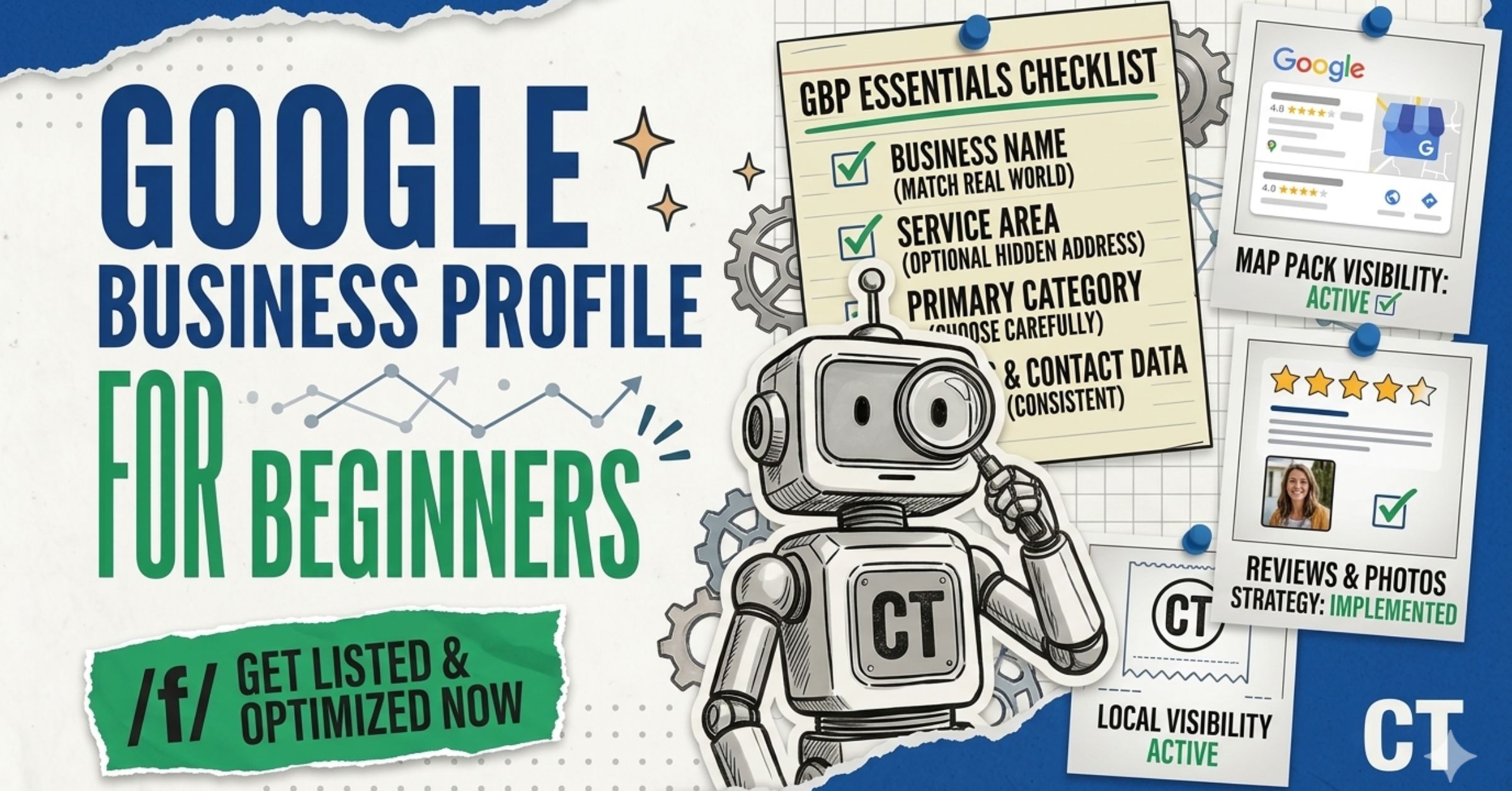
What Is Google Business Profile — and Why Does It Matter for Local Businesses?
Google Business Profile (GBP) is a free tool from Google that lets you control how your business appears on Google Search and Google Maps. When someone searches for a plumber, a dentist, or a coffee shop near them, the results that appear in the map section — the “Local Pack” — come directly from Google Business Profile listings.
If you have been working through our local SEO guide series, you already know that local SEO is about helping nearby customers find you. GBP is the single most important tool that makes that happen.
Here is why the numbers matter:
- 46% of all Google searches have local intent (BrightLocal, 2025)
- 42% of local searchers click on the Google Maps Pack (Local 3-Pack) results
- Businesses in the top 3 local results receive 126% more traffic and 93% more conversion actions (calls, directions, website clicks) than businesses ranked lower
- GBP signals account for 32% of local pack ranking weight — the single largest ranking factor category
In plain language: if you are a local business and you are not on Google Business Profile, or your profile is incomplete, you are invisible to nearly half of the people actively looking for what you sell.
Many businesses have a GBP listing they never created — Google sometimes auto-generates profiles from publicly available data. Search your exact business name and city before creating a new profile. Claiming an existing listing is always better than creating a duplicate, which confuses Google and dilutes your authority.
Who Can Use Google Business Profile?
GBP is not just for restaurants and retail shops. You qualify if you meet any of these conditions:
- You have a physical location customers can visit (store, office, clinic, salon)
- You travel to customers to deliver a service (plumber, electrician, photographer, cleaning service)
- You operate a hybrid model — both a physical location and a service area
What you cannot do: list a virtual office, a P.O. box, or a co-working space you do not regularly staff as your business address. Google will eventually flag it and suspend your profile.
Home-based business owners: You can list on GBP, but you should hide your residential address and instead define your service area—more on that in the setup section.
Yes, if you serve customers either at a physical location or within a defined geographic service area. This includes brick-and-mortar businesses, service-area businesses (plumbers, cleaners, contractors), and hybrid models. You cannot list a PO box or unstaffed virtual address as your business location.
Yes, completely free. There is no paid tier for the core listing. Google does offer paid advertising (Local Service Ads and Google Ads) that can appear alongside organic GBP results, but your organic profile, posts, reviews, photos, and insights are all free.
How to Set Up Your Google Business Profile: Step by Step
Setting up GBP correctly from day one prevents verification headaches, ranking delays, and the very real risk of suspension down the road. Follow these steps in order.
Step 1: Search Before You Create
Go to business.google.com and search for your business name and city. If a listing already exists — even one you never created — claim it rather than starting fresh. Duplicate listings are one of the most common GBP problems and one of the hardest ones to fix.
Step 2: Sign In with the Right Google Account
Use a Google account that your business owns and controls. If you use a personal Gmail, fine — but understand that if a team member or agency later needs access, you will need to grant them access separately. A Google Workspace account tied to your domain (yourname@yourbusiness.com) is the cleaner long-term choice.
Step 3: Enter Your Business Name Exactly
Your business name in GBP must match your real-world business name exactly. No keywords, no city names, no taglines added to the end. “Smith Plumbing” is correct. “Smith Plumbing — Best Plumber in Austin, TX” will get your profile suspended.
This is one of the most common reasons GBP profiles get flagged.
Step 4: Choose Your Business Category
This is the most important decision in your entire GBP setup. Your primary category is the #1 local ranking factor according to Whitespark’s 2025 survey of local SEO experts — it directly determines which searches you are eligible to appear in.
Be specific. “Plumber” ranks better for plumbing searches than “Home Services Company.” You can add secondary categories later, but never sacrifice the accuracy of your primary category to try to cast a wider net.
Step 5: Add Your Location or Service Area
- Physical location: Enter your full address. This is what pins you on the map.
- Service-area business: Select the areas you serve (cities, counties, zip codes). Do not list a fake address.
- Hybrid: Add both your address and your service areas.
Step 6: Add Your Phone Number and Website
Enter the phone number customers should actually call. If you have a tracking number for analytics, you can use it here — but make sure it forwards to your real number and that your actual local number appears on your website.
For your website, link to the most relevant page — usually your homepage, but sometimes a specific location or service page if you have multiple profiles for different locations.
Connect your GBP to Google Analytics to unlock faster profile verification and gain additional insights on how organic search and your GBP listing interact.
Step 7: Verify Your Business
You cannot appear in search results until your profile is verified. Google wants to confirm the business is real and located where you say it is. Verification options as of 2026:
- Video verification — the most reliable and now most commonly offered method. You record a short video showing your storefront, signage, and proof of operations.
- Phone/text — a code sent to your business number
- Email — a code sent to your business email
- Postcard — a code mailed to your address (takes 5–14 days)
- Instant verification — available for some businesses already verified in Google Search Console
Do not skip or delay verification. Your profile will not appear in Maps or Search until this step is complete. Also, make sure your business name, address, and website are 100% consistent before you begin verification — inconsistencies are a common reason verification fails.
It depends on the method. Video and phone/text verification can happen within hours. Postcard verification takes 5–14 business days. If video verification is available to you, choose it — it is the fastest and most reliable method in 2026.
Make sure your business name, address, and website are all consistent before attempting verification. If video verification fails, request support through business.google.com. Attempting verification multiple times with inconsistent information will delay the process significantly.
How to Optimize Your Google Business Profile After Setup
Getting verified is the starting line, not the finish line. Google rewards complete, active, consistent profiles with higher rankings. Here is what to work through systematically.
Fill Out Every Section of Your Profile
Incomplete profiles rank lower and convert worse. Work through every section Google provides:
- Business description (up to 750 characters): Write for humans first. Describe what you do, who you serve, and what makes you different. Do not keyword stuff — Google uses this field in more contexts over time, and readability matters.
- Hours of operation: Keep these accurate and update them for holidays. Wrong hours are one of the fastest ways to lose a customer’s trust.
- Services and products: Add every service you offer. Be specific. These feed directly into what searches you appear for.
- Attributes: Google offers industry-specific attributes (wheelchair accessible, women-led, LGBTQ+ friendly, outdoor seating, etc.). These filter into search results and help the right customers find you.
- Booking/appointment links: If you take appointments, connect your booking system.
NAP consistency — your Name, Address, and Phone number — must be identical across your GBP, your website, and every directory you are listed on. A mismatch of even “Street” vs. “St.” across platforms sends conflicting signals to Google. According to a 2025 local SEO study, 64% of small businesses have NAP inconsistencies in at least one major directory. This is silently hurting rankings every day.
Write a Business Description That Actually Works
Most business owners write their GBP description like an ad. That is a mistake. Write it like you are explaining your business to a neighbour who might need your service.
A good description answers:
- What do you do?
- Where do you serve?
- What is your experience or speciality?
- Why should someone choose you?
You have 750 characters. Use 250–400 of them well. Clear beats clever.
Officially, Google has stated the business description is not a direct ranking factor. However, Google continues to display it in more contexts, and local SEO practitioners recommend writing it clearly for both humans and AI — since AI-powered search results (like AI Overviews and AI Mode) use this text as reference content when describing local businesses.
Add Photos — and Keep Adding Them
Photos are not decoration. They are trust signals, engagement drivers, and indirect ranking signals. Data shows that adding photos to your profile doubles your credibility compared to profiles without them.
What to upload:
| Photo Type | Purpose |
|---|---|
| Cover photo (1024 x 576px) | First impression on Search and Maps |
| Logo | Brand recognition in the listing |
| Exterior photos | Help customers recognize your location |
| Interior photos | Show atmosphere and layout |
| Team photos | Build personal connection and trust |
| Service/product photos | Show what you actually deliver |
| Before/after (for services) | Demonstrate results |
Best practices:
- Upload as JPG or PNG, max 5MB
- Use real photos — not stock images
- Add new photos regularly, not all at once
- Encourage customers to upload their own photos with reviews (Google rewards this)
- Videos up to 30 seconds can now appear prominently in your carousel
From working with 300+ businesses, I have seen service businesses underestimate the power of “after” photos — a clean home, a finished renovation, a healthy lawn. These convert browsers into callers far better than any text description.
Get Reviews — and Respond to Every Single One
Reviews are the most visible trust signal on your profile, and they carry real ranking weight. According to research by Localo across 2 million GBP listings, businesses appearing in the top 3 positions average nearly 250 reviews. Businesses in positions 4–10 have fewer than 200.
But here is what most guides miss: it is not just the number of reviews. It is also:
-
Review velocity — consistent new reviews over time signal an active, legitimate business
-
Review recency — a flood of reviews two years ago and none since looks suspicious to both Google and potential customers
-
Review specificity — detailed reviews that mention your services, location, and outcomes carry more weight than generic “great service!” reviews
-
Your responses — responding to every review signals engagement and builds trust How to get more reviews without violating Google’s policies:
-
Ask verbally right after completing a service, when the customer is happiest
-
Send a follow-up email or text with a direct link to your review page (get your link from your GBP dashboard)
-
Add a QR code on receipts, invoices, or thank-you cards that links directly to your review form
-
Train your team to make the ask part of the standard wrap-up
Never buy reviews, offer incentives for reviews, or ask only happy customers while filtering out negative ones. Google’s systems detect review manipulation patterns. Getting caught can result in review removal, ranking penalties, or full profile suspension. One genuine review per month beats ten manufactured reviews every time.
Stay professional and keep it brief. Acknowledge the experience, apologize without being defensive, and invite them to contact you directly to resolve it. Never argue publicly or deny the experience. A calm, professional response to a negative review often impresses potential customers more than a perfect 5-star average does.
You can flag reviews that violate Google’s policies (spam, fake accounts, off-topic content, conflict of interest). Go to your GBP dashboard, find the review, and click “Report review.” Google reviews the flag but does not remove reviews simply because they are negative. If you believe a review is genuinely fraudulent, you can escalate through Google Business Profile support.
Use Google Posts to Stay Active
Google Posts are short updates you can publish directly on your profile — similar to a social media post, but they appear in Google Search and Maps results. Most businesses ignore this feature entirely. That is a missed opportunity.
Types of posts you can publish:
- What’s New (general updates, announcements)
- Events (with dates and times)
- Offers (discounts, promotions with expiry dates)
- Products (highlight specific items)
Why they matter: Posts signal to Google that your business is active and engaged. An active profile outperforms a static one, all else being equal. Posts also appear directly in your listing when customers search for you, giving you real estate to control the first message they see.
Aim for at least one post per month. Seasonal offers, new services, team news, and helpful tips all work well. Vary between text, images, and video.
One of my clients — a home renovation contractor in Washington — started using monthly Google Posts to showcase completed project photos with a brief description. Within 60 days, their profile views climbed 40%, and they started appearing in searches they previously did not rank for. The posts themselves were not technically the ranking signal; the activity and the associated engagement were.
Set Up the Q&A Section
Google Business Profiles include a Q&A section where anyone — including customers and strangers — can post questions and answers about your business. This is a feature many business owners forget about entirely.
The risk: if you do not answer questions, someone else will — and their answers may be wrong.
The opportunity: you can seed your own Q&A with the questions you are most commonly asked. Write the question yourself (from a personal Google account) and then answer it from your business account. Think of it as a mini FAQ that lives directly in your Google listing.
Common questions to seed:
- Do you offer free estimates?
- Do you serve [specific area]?
- Are you open on weekends?
- Do you accept [specific payment method]?
- How long does [service] typically take?
What Are the Three Things Google Uses to Rank Local Businesses?
Google’s local algorithm evaluates businesses on three factors — and understanding them changes how you think about optimization.
1. Relevance
How well does your profile match what someone searched for? This is controlled by your business category, the services you list, keywords naturally present in your description and posts, and what appears in customer reviews.
2. Distance
How close is your business to the person searching (or to the location they specified in the search)? You cannot change your physical location, but you can expand your reach through a well-defined service area.
3. Prominence
How well-known and trusted is your business? This is built through reviews, photos, posts, mentions across the web, citations in directories, and the overall quality and authority of your website.
For a deeper look at how local signals interact with your website’s organic rankings, read our full guide on local search optimization.
Distance is one of three ranking signals — not the only one. Your competitor likely has stronger Relevance or Prominence signals: more reviews, a more specific business category, more complete profile, more posts, better-optimized website, or more directory citations. Focus on those controllable signals rather than proximity alone.
For a brand new profile with zero reviews and minimal citations, expect 2–4 months before meaningful visibility in competitive markets. In less competitive markets or niches, you can see movement within 4–6 weeks. Consistency matters more than speed — profiles that build steadily over time outperform profiles that spike and go quiet.
Yes. Your website is a Prominence signal. A fast, mobile-friendly website with clear service pages and location signals supports your GBP ranking. A slow, thin, or confusing website holds it back. Your GBP and website need to work as a system, not independently. See our guide on common SEO mistakes to avoid for more on this.
The Mistakes That Get Google Business Profiles Suspended
Profile suspension is more common than most beginners realize — and it can take weeks or months to resolve. The most common triggers are entirely avoidable.
Common reasons GBP profiles get suspended:
- Keyword stuffing in the business name — Adding “Best Plumber Austin TX” to your business name field is a direct policy violation. Your listing name must match your real-world business name exactly.
- Using a virtual office or P.O. box as your address — Google requires a physical location where customers can visit, or a correctly configured service-area business with the address hidden.
- NAP inconsistencies — If your name, address, or phone number differ across your website, GBP, and major directories, Google may question the legitimacy of your listing.
- Creating duplicate listings — One location = one listing. Multiple profiles for the same location confuse Google and often result in one being suspended.
- Making multiple rapid edits — Changing your name, address, category, and phone number in quick succession triggers a fraud signal. Make changes gradually, one at a time.
- Fake or incentivized reviews — Google detects patterns in review behavior. Getting 50 reviews in a week from new Google accounts is a red flag.
- Inaccurate business information — Wrong hours, discontinued services, incorrect category — inconsistencies between what your profile says and what customers experience erode trust.
If your profile is suspended, do not create a new listing. This is the most common mistake business owners make, and it almost always makes the situation worse by creating a duplicate that Google will also flag. Instead, identify the policy violation, fix it, and submit a reinstatement request through business.google.com.
A soft suspension means your profile remains visible on Search and Maps but you cannot edit it — you must submit an appeal to regain control. A hard suspension means your profile is not visible anywhere on Google, and an appeal is required to get it reinstated. Hard suspensions typically result from more serious policy violations or repeated issues.
Straightforward cases where the violation is clear and corrected can take 5–14 days. Complex cases requiring manual Google review can take 4–8 weeks. Submitting your reinstatement request before fixing the underlying issue is the most common mistake — it leads to repeated rejections and can extend the timeline to months.
How to Use GBP Insights to Understand Your Listing’s Performance
Google provides built-in analytics for your Business Profile. To access them, sign in to your GBP dashboard and look for the “Performance” section.
Key metrics to track:
| Metric | What It Tells You |
|---|---|
| Search queries | What exact terms people searched to find your profile |
| Profile views | How many people saw your listing in Search vs. Maps |
| Direction requests | How many people asked for directions to your location |
| Calls | How many people called directly from your profile |
| Website clicks | How many people visited your website from your profile |
| Photo views | Which of your photos are generating the most engagement |
The most important thing to watch is the trend, not the absolute number. If direction requests are rising month-over-month, your local visibility is improving. If calls are flat despite growing views, something about your profile is not converting.
For more advanced tracking of how local visitors behave once they reach your website, connect GA4 and segment by organic local traffic. And if you want to track exactly which keywords are driving impressions, Google Search Console is your next stop.
Research shows that 60% of mobile users who conduct a local search call a business directly from the search results — not from the website. This means your GBP call button often converts better than your contact page.
How Does Google Business Profile Connect to AI Search?
This is something almost no beginner guide covers, and it matters more in 2026 than ever before.
AI-powered search results — Google’s AI Overviews, AI Mode, and tools like ChatGPT and Perplexity — frequently cite and summarize local businesses when answering queries like “best emergency plumber in [city]” or “highly rated family dentist near downtown [city].”
The businesses that get cited in AI answers tend to share a few characteristics:
- Verified, complete GBP profiles with accurate, detailed information
- Strong review volume with specific, keyword-rich customer language
- Consistent online presence — the same business appearing across multiple credible sources (GBP, website, directories, press mentions)
- Clear topical authority — a website with relevant content that supports the GBP signals
I have seen this firsthand with a Jeep modification shop in Roswell, GA. After 12 months of consistent content and GBP activity building topical authority, a customer walked in and said ChatGPT had recommended the shop when they asked for local Jeep specialists. The GBP was the anchor — but the content ecosystem around it was what got the AI citation.
For a deeper dive into optimizing for AI search platforms, see our guides on how to get listed in AI search results and answer engine optimization best practices.
Indirectly, yes. AI search platforms look for consistent, trustworthy signals about local businesses. A complete, verified GBP with strong reviews and consistent NAP information across the web gives AI systems more reliable data to reference. Businesses with strong local SEO fundamentals are more likely to be cited in AI-generated local answers.
It can, in both directions. AI Overviews sometimes surface GBP information directly, which can increase visibility without a click. In other cases, AI Overviews can reduce direct website clicks since users get answers without visiting your site. The key is to make sure your GBP is accurate, detailed, and review-rich so your business is what the AI chooses to reference.
Google Business Profile Optimization Checklist
Use this to audit your profile right now. Every unchecked box is a ranking opportunity you are leaving on the table.
Profile Setup
- Profile is verified
- Business name matches real-world name exactly (no keyword stuffing)
- Primary category is the most specific, accurate fit
- Secondary categories are added (up to 9)
- Address or service area is correctly configured
- Phone number is accurate and matches your website Profile Content
- Business description is complete (250–400 characters of genuine content)
- All services/products are listed with descriptions
- Business attributes are filled out
- Hours are accurate and holiday hours are updated
- Website link is set to the correct page Photos and Media
- Cover photo is uploaded (1024 x 576px recommended)
- Logo is uploaded
- At least 10 photos are uploaded across all relevant categories
- New photos added in the last 30 days Reviews and Engagement
- A system exists for consistently requesting reviews
- All existing reviews have a response
- No review manipulation or incentivization Activity Signals
- At least one Google Post in the last 30 days
- Q&A section has been seeded with common questions
- Profile insights are reviewed monthly
- NAP is consistent across website and major directories
For more on how GBP fits into your overall local strategy, explore our full local SEO resource hub. If you want to understand how to rank for the searches that come with high commercial intent, our guide on how to rank for near-me searches covers that specifically.
Frequently Asked Questions About Google Business Profile
Yes, the core GBP listing — including the ability to add photos, posts, respond to reviews, and view insights — is completely free. Google offers separate paid advertising products (Local Service Ads, Google Ads) that can appear near organic GBP results, but your organic profile does not cost anything.
You can have one listing per physical location. If you operate multiple physical locations, each gets its own GBP profile. Service-area businesses without a physical storefront should have one profile covering their service area, not multiple profiles targeting different cities. Creating multiple listings for a single location violates Google’s policies and can result in suspension.
NAP stands for Name, Address, and Phone Number. Google cross-references your business information across your GBP, your website, and directories like Yelp, Facebook, and Apple Maps. If these differ — even small things like “Road” vs. “Rd” or missing a suite number — Google’s confidence in your listing drops. Consistent NAP across all platforms is one of the foundational local SEO signals.
Yes. Home-based businesses can use GBP as a service-area business. During setup, select “I deliver goods and services to my customers” and hide your home address from public view. Define the geographic areas you serve instead. Do not list a residential address as a customer-facing business location.
You can request ownership of any GBP listing by visiting business.google.com, searching for your business, and clicking “Claim this business.” If someone else already has ownership, Google will notify them and give them 7 days to respond. If they do not respond or deny the request unfairly, you can escalate through Google’s support process.
Google Posts are not a confirmed direct ranking signal, but they generate engagement signals and show Google that your profile is active. Active profiles consistently outperform static ones in local search. Posts also give you additional real estate in your listing to communicate directly with potential customers before they even click through to your website.
What Comes Next in Your Local SEO Journey
Google Business Profile is the foundation — but it is not the whole building. Once your GBP is set up and optimized, the next priorities in your local SEO strategy are:
- Building local citations — consistent mentions of your business name, address, and phone across directories
- Getting your website’s local pages right — dedicated service area pages, structured data, and on-page signals (see our on-page SEO checklist)
- Tracking the right metrics — not vanity numbers, but real performance signals; our guide on SEO keyword tracking covers this
- Avoiding the mistakes that slow you down — read our roundup of SEO mistakes to avoid before you get too far down the road
- Staying current with how search is evolving — see what Google I/O 2026 means for local SEO
The full picture of your local SEO progress lives across your GBP insights, GA4, and Google Search Console. If you are not sure how to pull those together, our analytics guides walk you through each tool from the beginning.
Additional Resources